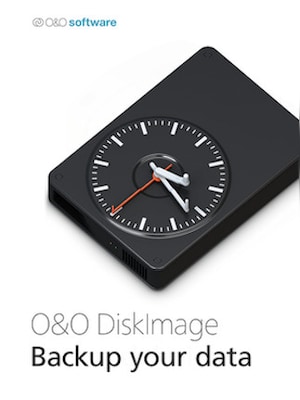
O&O DiskImage 17 lets you back up an entire computer or single files whenever you want – even while the computer is being used. In the event you should lose your personal data it can be quickly restored with just a few m ...
Download trial version and activate your key within the software
Informazioni legali
O&O DiskImage 17 lets you back up an entire computer or single files whenever you want – even while the computer is being used. In the event you should lose your personal data it can be quickly restored with just a few mouse clicks – even when Windows is no longer able to start. It also supports SSD drives and the latest UEFI System.O&O DiskImage lets you carry out a system restore and to duplicate or clone an entire PC or hard drive. You can even restore this backup onto a computer whose hardware is different from the original machine, for instance, where you have changed a motherboard on the target machine or have bought a brand new PC and want to restore an old backup onto it.
Further functions of O&O DiskImage:
All default and advanced features are combined in one single product
Backup entire PCs, hard drives or files with the push of a button
Quick and easy system restore – even onto different hardware
Plug-and-play function
Create a boot medium directly from within the program
Features
Backup an entire computer with the push of a button
Backup system and hard drives, clone drives and entire disks
Brand new file-based backup: now twice as fast as ever before – backup and restore individual files and/or folders
Direct creation of VHD/VHDX
Monitoring and warning of security risks
Incremental/differential backup: back up only the changes
Easily restore files, folders, drives and disks
System restore onto different hardware (M.I.R.)
Create a Windows Boot system directly from within the program with driver integration
Plug-and-play: Selected files and folders are automatically backed up and synchronized
Variable pixel density settings: adjusts to the selected DPI setting of the connected monitor
New and enhanced functions Control via Command Lines
Supports Windows 11, Windows 10 and Windows 8.1
Advertisement
SPONSORIZZATO
Recensioni
Scopri cosa pensano i nostri clienti di questo titolo
Questo prodotto non ha ancora recensioni
Aggiungi una recensione e ottieni uno sconto del 5% sul tuo prossimo acquisto
I clienti registrati che hanno effettuato almeno 1 acquisto possono aggiungere una recensione
Unisciti al piano gratuito G2A Plus e ottieni uno sconto dell'11% da utilizzare quando vuoi
Il piano gratuito G2A Plus è un programma gratuito in abbonamento in cui è possibile accumulare punti per ogni articolo acquistato su G2A.COM. Ogni 100 punti = 1 EUR, che puoi utilizzare per ridurre l'importo del tuo prossimo ordine. I punti sono validi per 365 giorni. Ogni utente che si iscrive per la prima volta alla newsletter riceve un codice sconto dell'11% via email da utilizzare una volta sola su G2A.COM.
Selezionando Iscriviti e partecipa accetti di ricevere email commerciali da parte di G2A.COM Limited su offerte, promozioni e sconti. Puoi annullare l'iscrizione in qualsiasi momento.