
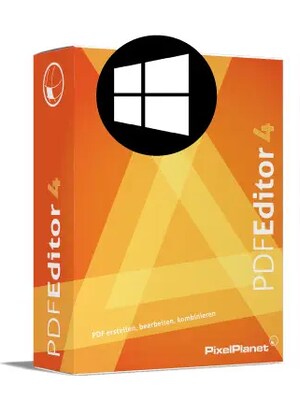








PdfEditor 4 is a Windows PDF editing solution for modifying text, graphics, images and pages directly within documents. It also supports PDF creation, file merging, form editing, OCR and permanent content redaction.
PdfEditor 4 Key Features
- Edit text, graphics, images and other objects directly in PDF files
- Create new PDFs from blank documents, Office files, images and printable applications
- Combine multiple documents into one PDF or split multi-page files
- Permanently remove confidential text, images and other content through redaction
- Create, edit and complete interactive PDF forms
- Convert scanned documents into searchable PDFs with integrated OCR
- Insert, delete, rotate, extract and rearrange pages
- Add headers, footers, dates, page numbers, stationery and watermarks
- Highlight text, add annotations and insert hyperlinks
- Edit bookmarks, document metadata and PDF layers
Edit PDF Content Directly
PdfEditor 4 allows users to change existing PDF documents without recreating them in another application. Text can be corrected or rearranged, while images, graphics, vector objects and links can be replaced, moved or edited directly inside the file.
Create and Organize PDF Documents
Users can create PDFs from text files, Microsoft Office documents, images, websites, scanner input, clipboard content and other printable sources. Multiple supported files can be combined into a single document, while page management tools make it easy to insert, remove, rotate, extract and reorder pages.
Protect Confidential Information
The redaction tools permanently remove selected text, images and paths instead of simply covering them. PdfEditor 4 can also search for specified text and redact matching results, helping users prepare documents that contain sensitive or private information for secure distribution.
Work with Scans and Forms
Integrated optical character recognition can make scanned PDFs searchable, while scanner support allows paper documents to be converted directly into PDF files. Form tools enable users to create, modify and complete interactive fields for applications, questionnaires and business documents.
Customize and Review PDFs
PdfEditor 4 includes tools for highlighting important passages, adding comments, editing bookmarks and inserting headers, footers, dates, page numbers, watermarks or company stationery. These options support document review, branding and preparation for professional use.
Who will like PdfEditor 4
- Office professionals who regularly update PDF documents
- Businesses handling contracts, forms and confidential records
- Administrative teams combining and organizing files from different sources
- Users who need to convert scanned paperwork into searchable PDFs
- Freelancers and small businesses looking for locally installed PDF software
- Anyone who needs to edit PDFs without relying on a cloud-based service




