
Advertisement
SPONSORED
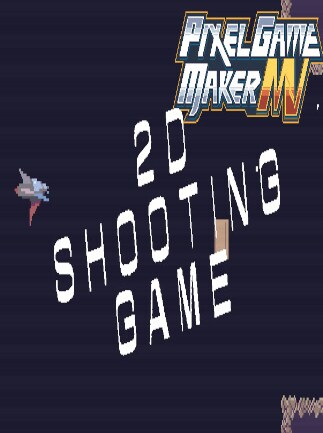
Pixel Game Maker MV -2D Side-scroller Shooting Game Sample Project
This sample game is a simple 2D side-scroller shooting game. Please use the objects for reference. All materials included in this project can be used freely.Your vehicle can fire normal shots and perform a close-range at...
Read more- Loading...
- Loading...
- Loading...
- Loading...
Best price
1.25 USD
Price with G2A Plus
1.25 USD
Pixel Game Maker MV -2D Side-scroller Shooting Game Sample Project Price Comparison
Pixel Game Maker MV -2D Side-scroller Shooting Game Sample Project PC
- PlatformSteam
- TypeKey
- RegionGLOBAL
Can activate in: United StatesOFFERS FROM 2 SELLERS1.13 USD5.87 USD

1 out of 1 item
Advertisement
SPONSORED
About Pixel Game Maker MV -2D Side-scroller Shooting Game Sample Project
This sample game is a simple 2D side-scroller shooting game. Please use the objects for reference. All materials included in this project can be used freely.
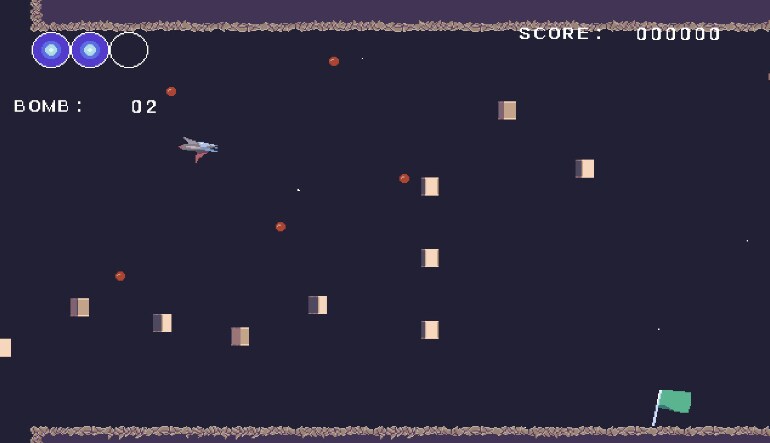
Your vehicle can fire normal shots and perform a close-range attack combined with a dodge technique, and you can also capture enemies and use bombs for wider-ranged attacks as well.
If your energy hits 0, you'll have to restart from the beginning of the stage, but if you're touching a flag, you can restart from that point.
Your score, energy level, and number of bombs are displayed onscreen.
How to Level-up and Enhance Your Vehicle
- Each time you defeat an enemy, there is a chance you will receive a power-up item. Touch it for something cool to happen to your vehicle.
- Energy Restoration
- Attack Power-up
- +1 Bomb
- The above are the available power-ups.
Attack Power-up
- There are three levels to attack power-ups.
- 1st Level: Low-speed, low-power shots
- 2nd Level: Higher-speed, higher-power beam-style shots.
- 3rd Level: Laser attack which fires forward, covering a wider range. There is a time limit to this level, and after a set amount of time it will be reverted to Level 2.
Stage Details
- The first stage is set up like a vertical cave, with two types of enemies appearing.
- Make it to the deepest level to clear the stage.
- The second stage features an industrial-style background, and features two new types of enemies not appearing in the first stage, as well as one boss enemy.
- Defeat the boss to clear the stage.
Controls (Xinput-compatible controllers)
- Up/Down/Left/Right: Move
- B: Normal Shot
- Y: Close-range Attack (combined with Dodge)
- X: Bomb
- A: Capture Enemy (optional when touching an enemy)
Controls (Keyboard)
- Cursor keys: Move
- Space bar: Normal Attack
- C key: Close-range Attack (combined with Dodge)
- X key: Bomb
- Z key: Capture Enemy (optional when touching an enemy
Development Environment
- Ver.1.0.4.2
- *Bugs may occur when using other versions.
Stored Area
- Select "Sample" to display the sample project.
- If it is not displayed, please try uninstalling and reinstalling.
Reviews
Check what our customers think of this titleThere are no reviews for this item yet
Add the first review and get a 5% discount for your next purchaseSigned-in customers with at least 1 purchase can review
Join our newsletter and enjoy 11% off
Subscribe to get updates, confirm your subscription,
and receive a discount code to use instantly
By subscribing to the newsletter, you consent to G2A.COM Limited sending commercial communications to your email, including personalized offers available on the G2A Marketplace. The administrator of your personal data is G2A.COM Limited. You can withdraw your consent at any time. If you withdraw your consent, it will not affect the legality of your data processed before. We process your personal data in line with the Privacy and Cookies Policy. Every new user who subscribes for the first time to the newsletter receives a one-time 11% discount code that may use once for future purchases on the g2a.com platform. The code is valid for 3 days and can only be used to purchase activation keys (excluding preorders) under EUR 50.00 in the categories: video games, software, randoms, and DLC, from sellers participating in this discount program. G2A.COM Limited is not responsible for adjusting the value of any promotional items, this is solely up to participating sellers.
By subscribing to the newsletter, you consent to G2A.COM Limited sending commercial communications to your email, including personalized offers available on the G2A Marketplace. The administrator of your personal data is G2A.COM Limited. You can withdraw your consent at any time. If you withdraw your consent, it will not affect the legality of your data processed before. We process your personal data in line with the Privacy and Cookies Policy. Every new user who subscribes for the first time to the newsletter receives a one-time 11% discount code that may use once for future purchases on the g2a.com platform. The code is valid for 3 days and can only be used to purchase activation keys (excluding preorders) under EUR 50.00 in the categories: video games, software, randoms, and DLC, from sellers participating in this discount program. G2A.COM Limited is not responsible for adjusting the value of any promotional items, this is solely up to participating sellers.