


Best Survival Horror Games of All Time
The survival horror genre is broad and popular, and not just because both survival games and horror...
18 out of 30 items
Whether you're setting up a brand-new build or finally making the jump from Windows 10, a Windows 11 key is what stands between you and a fully activated, fully functional operating system.
Without a valid license, Windows runs in a limited state: no personalization options, persistent activation watermarks across your desktop, and no access to the security updates that keep your system protected and stable. With a genuine Windows 11 activation key from G2A Marketplace, you unlock the complete Windows experience: full customization, regular updates, access to Microsoft services, and every feature specific to your edition, delivered digitally and ready to use within minutes of purchase.
So how much is Windows 11 compared to buying direct? On G2A Marketplace, Windows 11 license keys are available at a fraction of the Microsoft Store retail price. The same genuine activation, verified by Microsoft's servers, for significantly less.
The Windows 11 price varies depending on the edition and key type you choose: Home, Pro, OEM, or Retail. Whether you're after a Windows 11 Home key for a personal setup or a Windows 11 Pro key for a professional workstation, you'll find offers across multiple variants and regions to match your exact requirements.
The most important decision when you buy Windows 11 is choosing the right edition. Both Home and Pro run on the same core OS and deliver the signature Windows 11 experience - the redesigned Start menu, Snap Layouts, virtual desktops, and deep Microsoft ecosystem integration. But beyond that foundation, they serve different users with different needs. Here's how to choose.
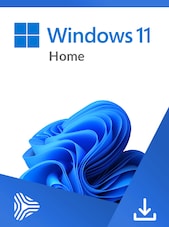
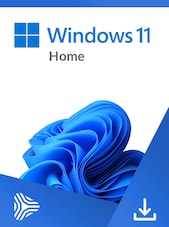
The Windows 11 Home license is the natural choice for most personal users: casual gamers, students, families, and anyone who needs a modern, capable OS without enterprise complexity. Gaming performance is a strong suit: Windows 11 Home includes native support for DirectX 12 Ultimate, Auto HDR for compatible titles, and DirectStorage for dramatically faster game load times on NVMe drives. If your PC is built for gaming, the Home edition handles everything you'll throw at it.
Beyond gaming, the Windows 11 Home key unlocks a polished daily computing experience: fluid animations, a clean interface, smarter multitasking tools, and tight integration with Microsoft services like OneDrive, Teams, and the Microsoft Store. For most home users, this is the edition that does everything they need.
On G2A Marketplace you'll find Windows 11 Home keys in two main variants. An OEM key is tied to your current hardware and is the most cost-effective option if you're activating on a single machine you don't plan to change. A Retail key offers the flexibility to transfer your license to a new PC in the future, making it worth considering if you upgrade your build regularly.
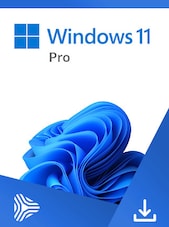
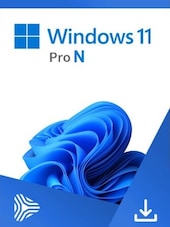
The Windows 11 Pro key is designed for users who need more than a personal OS: small business owners, entrepreneurs, IT professionals, and anyone managing a machine that handles sensitive work.
Pro includes everything in the Home edition and adds the tools that a professional environment demands: BitLocker drive encryption to protect business data, Remote Desktop for accessing your workstation from any location, Hyper-V virtualization for running isolated environments, Group Policy management for fine-grained system control, and Azure Active Directory support for integrating with business account infrastructure.
For entrepreneurs in particular, the Windows 11 Pro activation key is a practical necessity rather than a luxury upgrade. If you're storing client data, working remotely, or managing a small team's devices, the Pro features directly address real operational needs. The Windows 11 price gap between Home and Pro on G2A Marketplace is small. And for any business user, the additional capabilities are worth every cent.
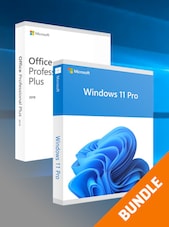
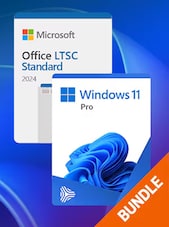
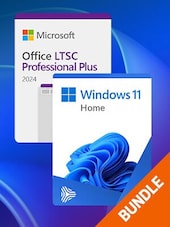
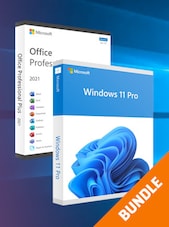
A Windows 11 Pro key also makes the most sense as part of a broader software setup. Pair your [Microsoft Windows 11 Pro] license with [Microsoft Office 2024] for a complete productivity environment, or add [Adobe Creative Cloud Pro] if your workflow includes design, video, or content creation.
Buying a Windows 11 home key or Pro license on G2A Marketplace takes minutes. Browse the available offers, select the edition and key type that matches your system and region, complete your purchase, and receive your Windows 11 license key digitally - no shipping, no waiting. To activate Windows 11: open Settings, go to System → Activation, select Change product key, enter your 25-character activation key, and follow the prompts. Your system contacts Microsoft's servers, verifies the license, and activates immediately.
For OEM keys, activation ties to your hardware and completes automatically on first boot after entering the key. Straightforward for a fresh install or new build. For Retail keys, the license is linked to your Microsoft account, which means you can reactivate on the same machine after a hardware change or reinstall without needing to enter the key again.
Once activated, you have the full Windows 11 experience: all personalization settings unlocked, Windows Update running, Windows Security active, and every feature of your edition available without restriction. Buy Windows 11 on G2A Marketplace, receive your key instantly, activate in under five minutes, and your system is ready.



