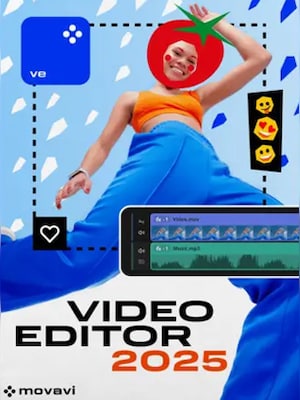



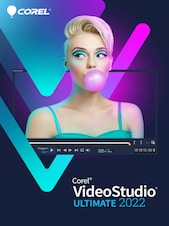

Movavi Video Suite 2025 (PC) (1 Gerät, Lebenslang) - Movavi Schlüssel - GLOBAL
1/1
Plattform:
Movavi
Kann aktiviert werden in :
Österreich
Länderbeschränkungen
Typ:
Schlüssel
Region:
GLOBAL
Movavi Video Suite 2025 Сreate awesome video projects easily | Auto subtitles with one click, ready-made templates | Handy video editing, file conversion, and screen recording | Hundreds of drag-and-drop filters, transit ...
Movavi Video Suite 2025 Сreate awesome video projects easily
Auto subtitles with one click, ready-made templates | Handy video editing, file conversion, and screen recording | Hundreds of drag-and-drop filters, transitions, titles, and overlays
Why choose Movavi We’re the #1 choice for millions of people from all around the world. Join our thriving community and create stunning content with incredible ease.
Video maker and file converter
Create killer videos in a snap: have fun with dazzling effects, use AI to quickly swap out backgrounds and remove noise, polish the sound, and convert files in the blink of an eye.
Screen recorder
Grab any desktop activity in a click: record video lessons, software demos, webinars, and more. Highlight mouse and keystrokes and draw on recordings in real time to make super informative presentations.
Useful extras
Enhance your video-making experience with these cool extras: a powerful CD/DVD/Blu-ray burner, simple media player, and lots of stock content to amp up your video creations.
What do I get in Movavi Video Suite 2025?
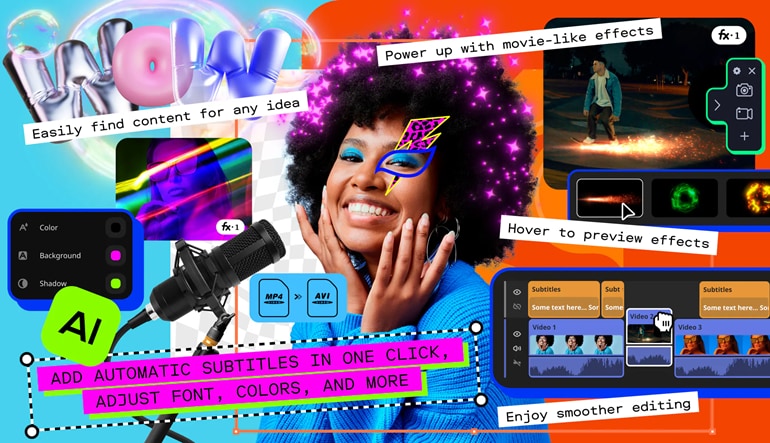
One-click automatic subtitles - Let AI quickly turn your speech into text and automatically create captions for your videos in almost any language. Just choose the font, text color, position – and you’re all set!
Mouse-over effects preview - Picking titles, transitions, and filters has never been easier! Simply hover your mouse over any effect to see it in action. You can also view your project files in the same way.
Movie-like effects for your videos - Pack a ton of action into your videos in a flash! Add fire, lightning, or other ready-to-use animated overlays – capture your audience’s attention right from the start.
Blending modes for any content - Overlay your videos, photos, and even frames effortlessly to produce different looks. Create stylish vlogs, cinematic highlight reels, or vibrant clips in just a couple of clicks.
Revamped timeline for easier editing - The new timeline is now clearer and more streamlined. Get your projects done faster and have more fun with anything – from short vids for socials to longer family movies.
Our best effects – at your fingertips - Create awesome videos in any style with our huge collection of professionally designed effects. Now you can try them all right away, right in the video maker. To use these effects in your videos, subscribe to Movavi Effects Store!
Perfect-match overlay effects - Now each overlay effect has 13 blending modes to choose from. Try each of them with the press of a button and pick the one that fits your video perfectly.
AI upscaling - Give your clips a serious facelift – make their resolution 8 times better in just one click and enjoy watching your videos on bigger screens.
AI motion tracking - Enhance reality in your videos with additional moving graphics. Just click, and AI will quickly attach any photos, videos, emojis, or memes to objects in your footage.
AI background removal The built-in AI will quickly remove a background from your video, even without a green screen. Change it to anything – from a solid color to outer space – and stun your viewers with out-of-this-world videos.
AI noise removal - Automatically remove car, wind, and other uncool sounds from your clips with our AI-driven audio denoiser. Create videos with crisp sound that viewers are sure to appreciate.
Frame-precise cuts in a click Give your videos a sharper look with the new video-cutting tool. Easily make precise cuts and create eye-catching montages like your favorite bloggers.
Minimale Anforderungen
Betriebssystem
Microsoft® Windows® 7/8/10/11 64-bit with up-to-date patches and service packs installed
Processor
Intel®, AMD®, or compatible dual-core processor, 1.5 GHz
Arbeitsspeicher
2 GB RAM for Windows 7, Windows 8, and Windows 10
Graphics
Intel® HD Graphics 2000, NVIDIA® GeForce® series 8 and 8M, Quadro FX 4800, Quadro FX 5600, AMD Radeon™ R600, Mobility Radeon™ HD 4330, Mobility FirePro™ series, Radeon™ R5 M230 or higher graphics card with up-to-date drivers
Speicherplatz
600 MB available hard disk space for installation, 1350 MB for ongoing operations
Advertisement
GESPONSERT
Bewertungen
Schau dir an, was unsere Kunden von diesem Titel halten
Gesamtbewertung des Artikels
5.0
1 Bewertungen
1 von 1 (100%) Bewerter empfehlen diesen Artikel
Bewertung
Wähle eine Zeile zum Filtern von Bewertungen
1
0
2
0
3
0
4
0
5
1
Diesen Artikel bewerten
Erhalte einen 5% Rabatt auf deinen nächsten Einkauf
als Dankeschön
Angemeldete Kunden mit mindestens einem Kauf können eine Bewertung abgeben
1 von 1 Bewertung
Sortieren nach:
Andrzej.WBewertet am: 19. Nov. 2024
5.0Movavi
Ich bin pleasantly surprised von der Movavi Video Suite 2025-Paket. Die Programme sind einfach zu bedienen. Sehr stabile Leistung während der Bearbeitung und Konvertierung von Videos. Kein Qualitätsverlust. Die Bearbeitungssoftware: Fotos, Videos und Musikvideos, Aufnahme der fertigen Kreationen und viele andere Möglichkeiten. 4K-Videos werden mit einer sehr guten Geschwindigkeit und super Qualität bearbeitet!
Tritt Plus Free bei und sichere dir sofort 11 % Rabatt
Plus Free ist ein kostenloses Mitgliedschaftsprogramm, bei dem du für Artikel, die du auf G2A.COM kaufst, Punkte sammelst. Je 100 Punkte = 1 EUR, die du nutzen kannst, um den Gesamtbetrag deiner nächsten Bestellung zu reduzieren. Die Punkte sind 365 Tage gültig. Jede neue Person, die Marketing-E-Mails abonniert, erhält einen 11-%-Rabattcode, der einmal auf G2A.COM verwendet werden kann. Du erhältst ihn per E-Mail.
Mit der Auswahl von Anmelden und beitreten stimmst du zu, Marketing-E-Mails von G2A.COM Limited zu Angeboten, Aktionen und Rabatten zu erhalten. Du kannst dich jederzeit abmelden.