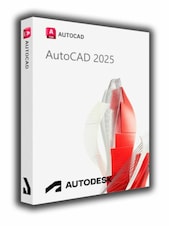
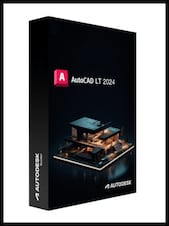
Boost productivity by up to 95%* with electrical design features that help you create, modify, and document electrical controls systems. With the Electrical toolset, you can:Access a library of 65,000+ intelligent electr ...
Install Autodesk Autocad Electrical 2022: Download and install the software from the Autodesk website.
Launch AutoCAD: Open the application on your computer.
Sign In: If you have a subscription, sign in with your Autodesk account. The software should activate automatically.
Enter Serial Number: If you have a perpetual or educational license, click on “Enter a Serial Number” when prompted.
Input Details: Enter your serial number and product key, then click “Next”.
Complete Activation: Follow the on-screen instructions to complete the activation process.
Boost productivity by up to 95%* with electrical design features that help you create, modify, and document electrical controls systems. With the Electrical toolset, you can:
Access a library of 65,000+ intelligent electrical symbols
Automate numbering of wires and generation of component tags
Generate and update multiple customized reports automatically
Key new features
Trace - Have you ever needed a safe space to collaborate on drawing changes in the AutoCAD web and mobile apps without fear of altering the existing drawing? Think of trace as a virtual, collaborative sheet of tracing paper that's laid over the drawing, allowing collaborators to add feedback right in the drawing.
Share Current Drawing - Share a link to a copy of the current drawing to view or edit in the AutoCAD web app. The shared file includes all related dependent files such as xrefs and font files.
Push to Autodesk Docs - Teams can now view digital PDFs in the field for reference. Use Push to Autodesk Docs to upload AutoCAD drawings as PDFs to a specific project on BIM 360 or Autodesk Docs.
Count - Getting an accurate count of the number of object in your drawing is easier than ever. You can also use the Count palette to display and manage the counted blocks in the current drawing.
Floating Drawing Windows - Drag a file tab off of the AutoCAD application window, creating a floating window. This makes it easy to move the drawing to another monitor.
Start Tab Redesign - With this redesign we provided a consistent welcome experience for Autodesk products.
3D Graphics Technical Preview - We're excited to include a Technical Preview of a completely new cross platform 3D graphics system being developed for AutoCAD. This new graphics system leverages the power of modern GPUs and multi-core CPUs to offer a smooth navigation experience for much larger drawings than in prior releases.
SPONSORED
SPONSORED
Reviews
Bekijk wat onze klanten van deze titel vinden
Er zijn nog geen reviews voor dit item
Plaats de eerste review en ontvang 5% korting op je volgende aankoop
Alleen ingelogde klanten met minimaal 1 aankoop kunnen een review schrijven
Laat je inspireren door onze artikelen!
Best Survival Horror Games of All Time
The survival horror genre is broad and popular, and not just because both survival games and horror...
Best G2A Gaming Deals This Month - Save Big Today!
Looking to score great games without overspending? Check out this month’s best G2A deals
Best PC Games of 2024: A Complete Yearly Recap
Explore the top PC games of 2024! From action-packed adventures to stunning RPGs, discover the year’s must-play titles.
15 Games to Push Your Gaming Skills to the Limit (And Maybe Beyond)
Are you ready for the ultimate gaming challenge? Explore our list of games that will push your skills to the...
Schrijf je in voor onze nieuwsbrief en profiteer van 11% korting!
Meld je aan voor updates, bevestig je abonnement en ontvang meteen een kortingscode.
Door je te abonneren op de nieuwsbrief geef je toestemming aan G2A.COM Limited om commerciële berichten naar je e-mailadres te sturen, inclusief gepersonaliseerde aanbiedingen die beschikbaar zijn op de G2A Marketplace. De beheerder van je persoonsgegevens is G2A.COM Limited. Je kunt je toestemming op elk moment intrekken. Het intrekken van je toestemming heeft geen invloed op de rechtmatigheid van de verwerking van je gegevens die eerder heeft plaatsgevonden. We verwerken je persoonsgegevens in overeenstemming met het Privacy- en Cookiebeleid. Elke nieuwe gebruiker die zich voor het eerst abonneert op de nieuwsbrief ontvangt een eenmalige kortingscode van 11% die één keer kan worden gebruikt voor toekomstige aankopen op het g2a.com-platform. De code is 3 dagen geldig en kan alleen worden gebruikt voor de aankoop van activatiecodes (exclusief pre-orders) onder EUR 50,00 in de categorieën: videogames, software, randoms en DLC, van verkopers die deelnemen aan dit kortingsprogramma. G2A.COM Limited is niet verantwoordelijk voor het aanpassen van de waarde van promotionele items; dit is volledig afhankelijk van de deelnemende verkopers.
Door je te abonneren op de nieuwsbrief geef je toestemming aan G2A.COM Limited om commerciële berichten naar je e-mailadres te sturen, inclusief gepersonaliseerde aanbiedingen die beschikbaar zijn op de G2A Marketplace. De beheerder van je persoonsgegevens is G2A.COM Limited. Je kunt je toestemming op elk moment intrekken. Het intrekken van je toestemming heeft geen invloed op de rechtmatigheid van de verwerking van je gegevens die eerder heeft plaatsgevonden. We verwerken je persoonsgegevens in overeenstemming met het Privacy- en Cookiebeleid. Elke nieuwe gebruiker die zich voor het eerst abonneert op de nieuwsbrief ontvangt een eenmalige kortingscode van 11% die één keer kan worden gebruikt voor toekomstige aankopen op het g2a.com-platform. De code is 3 dagen geldig en kan alleen worden gebruikt voor de aankoop van activatiecodes (exclusief pre-orders) onder EUR 50,00 in de categorieën: videogames, software, randoms en DLC, van verkopers die deelnemen aan dit kortingsprogramma. G2A.COM Limited is niet verantwoordelijk voor het aanpassen van de waarde van promotionele items; dit is volledig afhankelijk van de deelnemende verkopers.