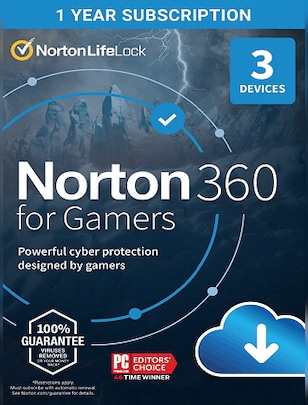
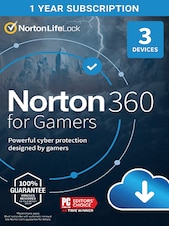
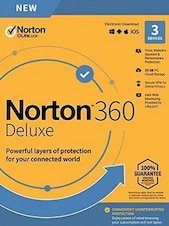
Norton 360 for Gamers is Norton antivirus for gamers, built to protect Windows PCs, Macs, Android, and iOS devices. You get real-time threat protection, a VPN, Game Optimizer, Dark Web Monitoring for gamer tags, and Cloud Backup in one security plan.
Norton 360 for Gamers Key Features
- Real-time threat protection guards your devices against malware, spyware, and viruses.
- Smart Firewall for PC adds another protective layer to your Windows machine.
- The VPN helps shield you from DDoS attacks and doxxing while you play online.
- PC SafeCam helps block webcam takeovers on your computer.
- Password Manager helps you manage the logins for your online accounts.
- Parental Control lets you set time limits and curfews for young gamers.
- Scam Protection helps keep you safer from online scams.
- Norton Genie, an AI assistant, gives you real-time tips for spotting scams.
- Multi-layered protection covers PCs, Macs, smartphones, and tablets.
Protect Gamer Tags with Dark Web Monitoring
Dark Web Monitoring looks for your gamer tags and personal information on the dark web. When a match turns up, you get a notification and can respond right away.
Monitoring starts with your email address. You can add more details from your Norton account to widen what gets watched, so the plan covers your game accounts as well as your devices.
Reduce FPS Lag with Game Optimizer
Game Optimizer, also called Norton GO, dedicates CPU cores to the game you have open in full screen. Power-hungry background programs stop taking resources away from your game.
This helps cut FPS lag and slowdowns caused by other apps. It can also improve frame rates and load times, depending on what else your system is doing. It is designed for Windows PCs with multi-core CPUs.
Play Uninterrupted with Full-Screen Detection Mode
Full-Screen Detection Mode recognizes when a game is running in full screen and holds back alerts. Pop-ups stay out of your match while protection keeps running in the background.
Notification Optimization cuts the remaining messages down to the ones that matter. You hear from Norton only when your PC is under attack, your protection is at risk, or you are not using a feature that is available to you.

Detect Games Automatically and Back Up Game Clips
Games are picked up automatically based on full-screen use with high CPU load, a supported launcher such as Steam, Epic, Blizzard, or Rockstar, or an earlier detection. You can also add any title to the list yourself.
Cloud Backup on Windows stores copies of your important files online. Turn on backup for My Documents in your backup settings to include video files and game clips.
Who will like Norton 360 for Gamers
- PC gamers who want security that stays out of the way during full-screen play.
- Online players who want help against DDoS attacks and doxxing.
- Gamers who want to know if their gamer tags show up on the dark web.
- Players who often install new games, mods, and updates.
- Streamers and content creators who want their game clips backed up.
- Parents of young gamers who want screen-time limits and curfews.
- Households that protect PCs, Macs, smartphones, and tablets with one plan.