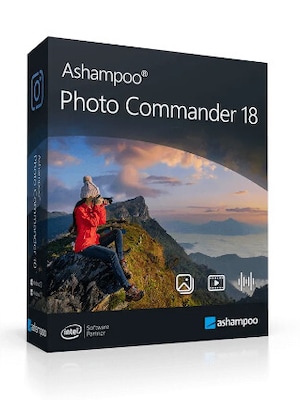
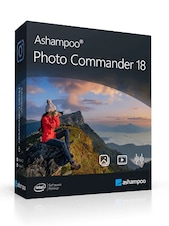
Ashampoo Photo Commander 18 is an all-in-one Windows solution for viewing, organizing, editing, converting, and presenting photo collections. It combines duplicate detection, metadata tools, batch processing, creative effects, and support for modern image formats.
Ashampoo Photo Commander 18 Key Features
- View, organize, edit, convert, and present photos in one application
- Detect duplicate images with four-way fingerprint comparison technology
- Filter photos using favorites, file formats, locations, and EXIF or XMP metadata
- Process multiple images at once with batch conversion and editing tools
- Support for SVG, AVIF, WebP, PSD, RAW, and other popular image formats
- Create collages, calendars, greeting cards, slideshows, and HTML albums
- Add watermarks, frames, text, shapes, drawings, and creative effects
- Import photos and videos from digital cameras and scanners
- Organize images by creation date, keywords, ratings, or GPS location
- Export selected images as PDF or multi-page TIFF files
Keep Large Photo Collections Organized
Ashampoo Photo Commander 18 helps users manage extensive image libraries with customizable folder views, virtual albums, ratings, keywords, and metadata filters. Photos can be grouped by date or location, while embedded GPS information makes it possible to sort images by country, city, and street.
Find and Manage Duplicate Images
The built-in duplicate scanner uses four-way fingerprinting to compare images accurately and group matching files. Real-time filters help narrow the results by duplicates, favorites, and file type, making it easier to remove unnecessary copies and reclaim storage space.
Edit and Optimize Photos
The software includes tools for adjusting brightness, contrast, saturation, temperature, gamma, size, perspective, and rotation. Users can crop and straighten images, remove red eyes, reduce noise, repair damaged areas, clone image sections, remove unwanted objects, and compare edited photos with their originals.
Save Time with Batch Processing
Batch processing allows entire groups of images to be converted, resized, rotated, mirrored, or optimized in a single workflow. Users can also apply effects, frames, and watermarks to multiple files, reducing the time required to prepare large photo collections.
Create and Share Photo Projects
Ashampoo Photo Commander 18 can turn photos into slideshows, collages, calendars, greeting cards, web galleries, and PDF documents. Slideshows can include music and smooth transitions, while presentation controls allow content to be managed on one display and shown on another.
Who will like Ashampoo Photo Commander 18
- Home users looking for one program to manage and edit their photos
- Photographers organizing large collections of JPG, RAW, AVIF, or WebP images
- Users who need to locate and remove duplicate photo files
- Content creators who regularly resize, convert, or watermark multiple images
- Families creating albums, calendars, collages, slideshows, and greeting cards
- Users who want accessible photo-editing tools with guided workflows