
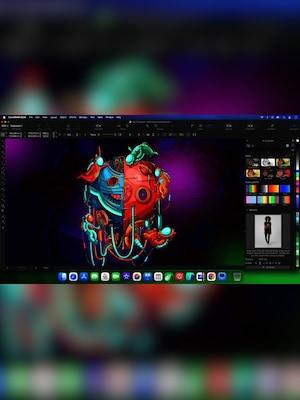
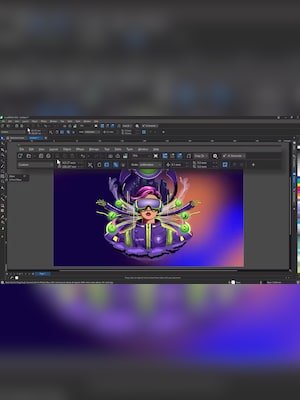







CorelDRAW Graphics Suite 2026 is a professional graphic design package for vector illustration, page layout, typography, photo editing, and digital content creation, enhanced with new AI-powered tools and improved performance.
CorelDRAW Graphics Suite 2026 Key Features
- Professional vector illustration and page layout tools
- Corel PHOTO-PAINT for bitmap and photo editing
- AI image generation from text prompts and reference images
- AI-powered image remixing for fast visual experimentation
- One-click AI background removal
- AI-assisted subject masking with editable selections
- Tools for typography, font management, and text effects
- Support for print, web, branding, signage, and social media projects
- Modernized interface with clearer controls and navigation
- Faster application launch and improved workflow stability
- Broad file compatibility and professional export options
- Access to CorelDRAW Web with eligible subscription and maintenance plans
Create Vector Graphics and Professional Layouts
CorelDRAW provides precise tools for producing logos, illustrations, technical graphics, marketing materials, signs, packaging, and multi-page documents. Users can build artwork from editable vector objects, adjust shapes and curves, organize complex compositions, and prepare designs for both digital publication and professional printing.
Page layout features support projects ranging from flyers and business cards to brochures and branded promotional materials. Alignment controls, grids, guidelines, object management, and flexible page settings help designers maintain accuracy throughout the production process.
Generate and Transform Images with AI
CorelDRAW Graphics Suite 2026 introduces AI Generate in CorelDRAW and Corel PHOTO-PAINT. The feature can create original images from written prompts, use an existing picture as visual guidance, or develop variations of current artwork. Users can select different artistic styles, color palettes, aspect ratios, and AI models before refining the generated result with the suite’s standard design tools.
AI-powered remixing makes it possible to transform photos and visual concepts through natural-language instructions. Designers can change environments, replace selected elements, explore alternative compositions, and prepare mockups without rebuilding every concept manually. Generative AI operations use AI credits, with availability depending on the selected licence or subscription plan.
Edit Photos and Remove Backgrounds Faster
Corel PHOTO-PAINT provides tools for retouching, color correction, bitmap editing, compositing, and image enhancement. The 2026 edition adds AI-powered background removal that can isolate a subject with a single command, including images containing detailed edges such as hair, fibers, or fabric.
AI-assisted masking creates an editable mask or clip mask from the main subject of a photograph. The automatically generated selection can be refined manually, allowing users to combine faster initial processing with detailed creative control. These features are useful when preparing ecommerce images, advertisements, social media graphics, presentations, and composite artwork.
Work with Typography, Fonts, and Text Effects
The suite includes extensive typography features for artistic text, paragraph text, text placed along paths, variable fonts, OpenType options, multilingual content, and advanced character formatting. Corel Font Manager helps users browse, organize, filter, and manage available typefaces without installing every font permanently.
Curated text presets provide a faster starting point for logos, labels, badges, stickers, promotional graphics, and other projects that depend on distinctive lettering. Text remains editable, so designers can adapt the wording, typeface, colors, spacing, and effects to fit the final composition.
Enjoy a Faster and More Consistent Workflow
CorelDRAW Graphics Suite 2026 features a refreshed interface designed to provide clearer tool states, more intuitive navigation, and greater consistency between desktop and web environments. Familiar workflows remain available while refined icons, controls, and visual cues make frequently used functions easier to identify.
Performance and stability improvements include faster application startup, smoother font handling, smarter page and export settings, and improved zoom controls for text editing. The suite also supports a wide selection of industry file formats and provides export options for PDF documents, print production, web graphics, transparent images, and other common deliverables.
Who Will Like CorelDRAW Graphics Suite 2026
- Graphic designers creating logos, branding, and marketing assets
- Illustrators working with scalable vector artwork
- Print professionals preparing brochures, posters, packaging, and signage
- Photographers and editors who need integrated bitmap-editing tools
- Marketing teams producing advertisements and social media content
- Small businesses creating promotional materials internally
- Sign makers, engravers, and apparel-printing professionals
- Designers who want AI-assisted ideation without giving up manual editing control
- Creative teams working across desktop and web environments





