

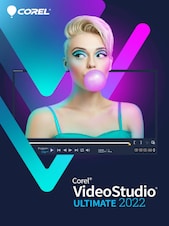













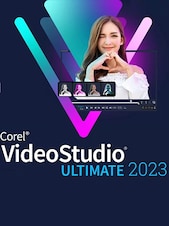
Corel VideoStudio 2022 is accessible video editing software for creating polished movies, social media content, slideshows, GIFs, and creative projects with timeline tools, customizable effects, templates, and audio editing features.
Corel VideoStudio 2022 Key Features
- Multi-track timeline editing with support for projects containing up to 50 tracks
- Trimming, cropping, rotating, splitting, and combining video clips
- Face Effects for adjusting skin appearance and facial proportions
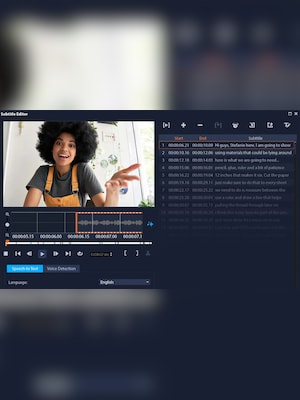
- Speech-to-text conversion for generating editable subtitles
- GIF Creator for turning selected video scenes into animated GIF files
- Static and animated AR stickers with face-tracking technology
- Camera movement transitions with customizable motion blur
- Variable Speed tools with keyframing and reusable speed presets
- Enhanced audio waveform editing and built-in voiceover tools
- Color correction, LUT profiles, filters, titles, and creative effects
- Split-screen, MultiCam, green-screen, and 360-degree video editing
- Smart Proxy support for smoother editing of high-resolution footage
Flexible Timeline Video Editing
Arrange video, images, titles, music, narration, and effects on a multi-track timeline. Corel VideoStudio 2022 provides essential editing controls alongside more advanced tools, allowing users to create anything from short personal clips to complex projects with multiple media layers.
Creative Effects and Motion Tools
Enhance footage with filters, animated titles, transitions, overlays, AR stickers, and customizable motion effects. Camera Movement transitions help scenes flow together with a more cinematic appearance, while variable-speed keyframing makes it possible to create smooth slow-motion, fast-motion, and speed-ramping sequences.
Faster Subtitles, GIFs, and Social Content
The speech-to-text tool converts spoken dialogue into editable subtitles, helping creators prepare accessible content for online platforms. Selected moments can also be exported as animated GIFs, while templates and ready-made effects simplify the production of videos for social media, tutorials, presentations, and personal channels.
Smart Tools for Efficient Editing
Highlight Reel uses artificial intelligence and facial recognition to identify suitable footage and help assemble memorable moments. Instant Project templates and FastFlick provide faster ways to transform photos and clips into complete videos, while Smart Proxy technology improves performance when working with high-resolution media.
Audio, Color, and Export Controls
Improve the sound of a project using enhanced waveform editing, voiceover recording, music tools, and audio controls. Color correction and LUT profiles help establish a consistent visual style, while hardware acceleration supports responsive editing and faster rendering to popular video formats and devices.
Who Will Like Corel VideoStudio 2022
- Beginners learning the fundamentals of timeline-based video editing
- Home users creating family movies, travel videos, and slideshows
- Social media creators producing short videos, GIFs, and subtitled content
- YouTubers editing tutorials, gaming videos, reviews, and vlogs
- Educators and students preparing presentations and instructional videos
- Enthusiasts who want creative tools without a highly complex professional interface
- Users working with HD, 4K, multi-camera, green-screen, or 360-degree footage