




















HD Video Converter Factory Pro is an all-in-one Windows application for converting, compressing, editing, downloading, and recording video. It supports over 500 formats and device profiles, batch processing, and GPU acceleration.
HD Video Converter Factory Pro Key Features
- Convert video and audio between more than 500 formats and device profiles
- Process HD, Full HD, 2K, 4K, 8K, and up to 12K video
- Use GPU acceleration and Lightning Mode for faster conversion
- Convert up to 10 video or audio files simultaneously in batch mode
- Compress large media files and adjust resolution, bitrate, frame rate, and other parameters
- Trim, split, crop, merge, rotate, watermark, and enhance videos
- Add, remove, embed, or extract subtitles
- Download videos and music from more than 1,000 supported websites
- Record the full screen, a selected area, gameplay, system audio, or microphone input
- Create animated GIFs from videos or image sequences
Flexible Video and Audio Conversion
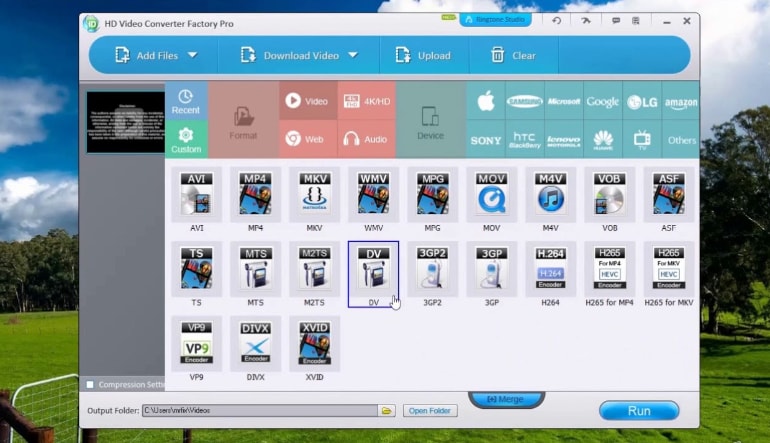
HD Video Converter Factory Pro supports popular formats and codecs such as MP4, MKV, MOV, AVI, WebM, H.264, H.265, AV1, Apple ProRes, MP3, WAV, FLAC, AAC, and DTS. Ready-made profiles simplify preparing files for smartphones, tablets, TVs, game consoles, media players, and online platforms.
Fast Batch Processing and Compression
Hardware acceleration can use compatible NVIDIA and Intel graphics technologies to speed up encoding and reduce the workload placed on the processor. Batch mode processes up to 10 files at once, while Smart Fit automatically selects suitable output parameters based on the source file and chosen format.
Practical Editing and Enhancement Tools
Built-in tools cover common editing tasks without requiring separate software. Users can remove unwanted sections, crop black bars, combine clips, correct orientation, apply filters, add watermarks, manage audio tracks, and work with soft or hard subtitles. Picture Enhancement technology can sharpen details and improve the appearance of lower-resolution footage during conversion.
Video Downloading and Screen Recording
The integrated downloader supports videos, playlists, channels, and music from more than 1,000 websites, subject to the applicable rights and platform rules. The screen recorder offers custom-area, full-screen, game, and audio-only modes, making it suitable for tutorials, presentations, meetings, gameplay, and other on-screen activities.
Who Will Like HD Video Converter Factory Pro
- Users who need to convert media for different devices and applications
- Content creators preparing videos for publishing or sharing
- People who regularly compress large video files
- Gamers and educators recording gameplay, lessons, or tutorials
- Users looking for basic video editing without complex professional software
- Anyone managing a collection of videos in different formats and resolutions