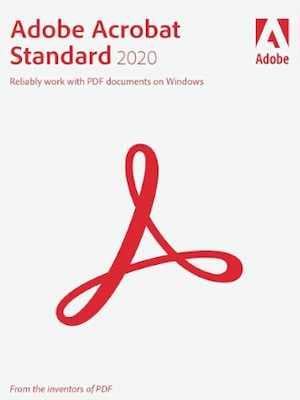
Adobe Acrobat Standard is a PDF software solution for editing, converting, signing, protecting, and sharing documents across desktop, web, and mobile.
Adobe Acrobat Standard Key Features
- Create PDFs from Microsoft Office files and other supported document formats.
- Edit PDF text, images, and page layouts for cleaner, more accurate documents.
- Convert PDFs back into formats such as Microsoft Word, Excel, and PowerPoint.
- Fill out PDF forms and sign documents digitally.
- Request e-signatures and track responses.
- View, print, share, and comment on PDF files.
- Organize pages by rearranging, deleting, or managing document structure.
- Protect PDFs with passwords and document permissions.
- Use Acrobat tools across desktop, web, and mobile devices.
Edit PDFs Without Rebuilding Documents From Scratch
Adobe Acrobat Standard gives users practical tools for making changes directly inside PDF files. You can fix text, replace images, adjust layouts, and prepare documents for sharing without going back to the original source file. This makes it useful for contracts, forms, business documents, reports, and everyday office files that need quick corrections.
Create and Convert Professional PDF Files
With Adobe Acrobat Standard, users can turn Microsoft Office documents into polished PDFs and convert PDF files back into editable formats when needed. This helps keep document workflows flexible, especially when teams work with different file types or need to prepare files for printing, archiving, or online distribution.
Handle Signatures and Forms More Efficiently
Adobe Acrobat Standard supports digital form filling, document signing, e-signature requests, and response tracking. It is designed for users who regularly send agreements, approvals, applications, or business forms and need a simpler way to manage document completion.
Protect and Share Important Documents
Adobe Acrobat Standard includes options for securing PDF files with passwords and permissions. Users can control access to sensitive documents, share files for review, and add comments, making it easier to collaborate while keeping important information better protected.
Who will like Adobe Acrobat Standard
- Office workers who regularly edit, convert, and share PDF documents.
- Small business owners who need reliable tools for contracts, invoices, and forms.
- Students and educators who work with assignments, learning materials, and digital documents.
- Freelancers who send proposals, agreements, and client-ready PDF files.
- HR, admin, and legal support teams that manage forms, approvals, and signed documents.
- Users who want a practical PDF editor without the more advanced features of Acrobat Pro.