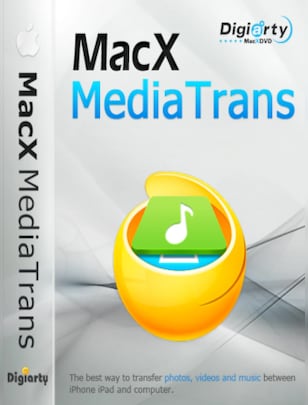
MacX MediaTrans is an easy-to-use iPhone and iPad manager for Mac that provides seamless transfer and management of photos, videos, music, and other media files. Whether you’re dealing with bulky 4K videos, chaotic mu...
Download and Install: First, download the software from the official website1. Install it on your Mac.
Register: Open MacX MediaTrans and click the “Register” option. In the registration window, enter the email address used for your purchase and the license code provided in your Fanatical order. Make sure there are no spaces in the license code field (you can copy and paste it).
Activation: Click “Activate” to complete the registration process. You’ll receive a notification confirming that your license has been successfully registered.
Details
Release Date:
December 28, 2023
Number of Devices:
1 Mac
Duration:
Lifetime
Legal information
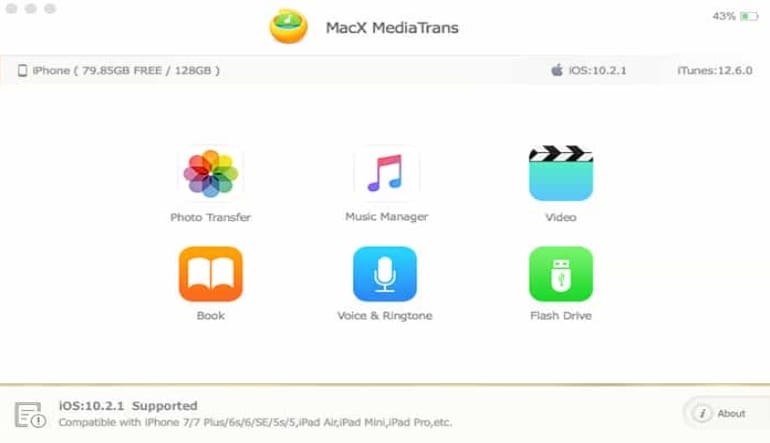
MacX MediaTrans is an easy-to-use iPhone and iPad manager for Mac that provides seamless transfer and management of photos, videos, music, and other media files.
Whether you’re dealing with bulky 4K videos, chaotic music libraries, or format compatibility issues, MacX MediaTrans has you covered.
Here are some key features:
Efficient Media Transfer: With MacX MediaTrans, you can import and export music, videos, and other files between your iPhone, iPad, and Mac at super-fast speeds.
Playlist Management: Create, delete, and edit playlists without iTunes limitations. Organize your tracks, albums, and genres effortlessly.
Ringtone Creation: Customize exclusive ringtones for your iPhone. Whether it’s rock music for a wedding or soothing tunes for jogging, MacX MediaTrans lets you manage your music library with ease.
Video Format Conversion: No need to worry about formats. MacX MediaTrans auto-converts MKV and HEVC videos to formats compatible with your iDevice. Plus, it reduces file sizes without compromising quality.
Auto Rotation: Sideways videos? MacX MediaTrans automatically rotates them to the correct orientation.
End-to-End Encryption: Your personal media files are protected with AES 256 encryption. Even if you lose your iPhone or it falls into the wrong hands, your data remains secure.
Backup and Restore: Safeguard your cherished memories by transferring photos in batch mode. Convert HEIC to JPG, classify your images, and manage your camera roll.
Advertisement
SPONSORED
Reviews
Check what our customers think of this title
There are no reviews for this item yet
Add the first review and get a 5% discount for your next purchase
Signed-in customers with at least 1 purchase can review
Advertisement
SPONSORED
Get inspired by our articles!
Best Survival Horror Games of All Time
The survival horror genre is broad and popular, and not just because both survival games and horror...
Best G2A Gaming Deals This Month - Save Big Today!
Looking to score great games without overspending? Check out this month’s best G2A deals
15 Games to Push Your Gaming Skills to the Limit (And Maybe Beyond)
Are you ready for the ultimate gaming challenge? Explore our list of games that will push your skills to the...
Best PC Games of 2024: A Complete Yearly Recap
Explore the top PC games of 2024! From action-packed adventures to stunning RPGs, discover the year’s must-play titles.
Join Plus Free and get an 11% discount to use right away
Plus Free is a no-cost membership program where you earn points for items you buy on G2A.COM. Every 100 points = 1 EUR you can use to lower your next order total. Points are active for 365 days. Every new person subscribing to marketing emails gets an 11% discount code to use once on G2A.COM. You’ll get it to your email.
By selecting Sign in and join, you agree to receive marketing emails from G2A.COM Limited about deals, promotions, and discounts. You can unsubscribe anytime.