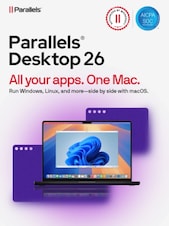
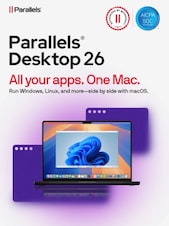
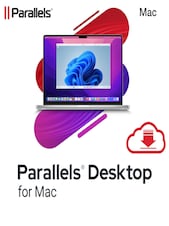
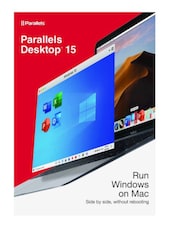
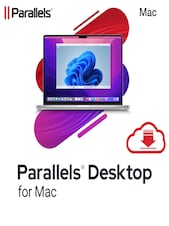
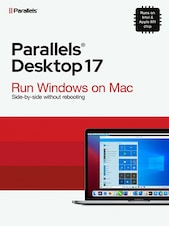
Parallels Desktop 19 Standard Edition Home & Student (MAC, 1 Year) - Key - GLOBAL
1/1
Platform:
Parallels
Can activate in:
United States
Check country restrictions
Type:
Key
Region:
GLOBAL
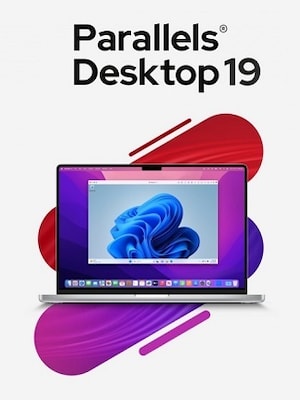
Parallels Desktop 19 is a powerful virtualization software designed for macOS that allows users to run Windows and other operating systems alongside macOS without rebooting. With its user-friendly interface, Parallels De ...
Parallels Desktop 19 is a powerful virtualization software designed for macOS that allows users to run Windows and other operating systems alongside macOS without rebooting. With its user-friendly interface, Parallels Desktop 19 offers seamless integration between Windows and macOS applications, enabling users to access Windows apps directly from the macOS dock or run them in Coherence mode, which lets them appear as if they are native Mac applications.
Key Features
Enhanced Performance**: Improved speed and responsiveness for Windows applications, especially when running on Apple Silicon Macs.
Support for the Latest Operating Systems**: Compatibility with the latest versions of Windows, Linux, and macOS, ensuring users can run the most current software.
Improved Graphics**: Enhanced graphics performance, making it suitable for gaming and graphics-intensive applications.
One-Click Setup**: A simplified installation process that allows users to get started quickly with minimal configuration.
Cross-Platform Functionality**: Easy file sharing and drag-and-drop functionality between macOS and Windows, facilitating a smooth workflow.
Virtual Machine Snapshots**: Users can take snapshots of their virtual machines to save the current state, making it easy to revert back if needed.
Security Features**: Enhanced security options to protect user data and privacy while running different operating systems.
Integration with Microsoft 365 and Other Apps**: Easy access to Microsoft Office apps and other productivity tools to improve efficiency.
Parallels Desktop 19 is ideal for professionals, developers, and anyone who needs to use both macOS and Windows applications simultaneously, providing flexibility and convenience for a wide range of tasks.
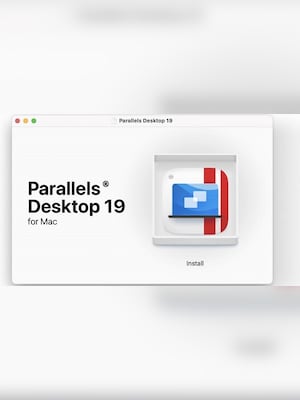
Install Parallels Desktop 19: First, ensure that you have installed Parallels Desktop 19 on your Mac.
Open Parallels Desktop: Launch the application. If this is your first time opening it, you will be prompted to activate it.
Sign In to Your Parallels Account:
Enter Your Product Activation Key:
Activate the Software:
Enter your Product Activation Key in the provided field and click "Activate".
If you have an upgrade license, you will need to enter both the upgrade key and a key from a previous version.
Complete Activation: Once the activation is successful, you can start using Parallels Desktop 19.
Reviews
Check what our customers think of this title
There are no reviews for this item yet
Add the first review and get a 5% discount for your next purchase
Signed-in customers with at least 1 purchase can review
Get inspired by our articles!
Best G2A Gaming Deals This Month - Save Big Today!
Looking to score great games without overspending? Check out this month’s best G2A deals
Best PC Games of 2024: A Complete Yearly Recap
Explore the top PC games of 2024! From action-packed adventures to stunning RPGs, discover the year’s must-play titles.
15 Games to Push Your Gaming Skills to the Limit (And Maybe Beyond)
Are you ready for the ultimate gaming challenge? Explore our list of games that will push your skills to the...
Best Survival Horror Games of All Time
The survival horror genre is broad and popular, and not just because both survival games and horror...
Subscribe to get updates, confirm your subscription,
and receive a discount code to use instantly
By subscribing to the newsletter, you consent to G2A.COM Limited sending commercial communications to your email, including personalized offers available on the G2A Marketplace. The administrator of your personal data is G2A.COM Limited. You can withdraw your consent at any time. If you withdraw your consent, it will not affect the legality of your data processed before. We process your personal data in line with the Privacy and Cookies Policy. Every new user who subscribes for the first time to the newsletter receives a one-time 11% discount code that may use once for future purchases on the g2a.com platform. The code is valid for 3 days and can only be used to purchase activation keys (excluding preorders) under EUR 50.00 in the categories: video games, software, randoms, and DLC, from sellers participating in this discount program. G2A.COM Limited is not responsible for adjusting the value of any promotional items, this is solely up to participating sellers.
By subscribing to the newsletter, you consent to G2A.COM Limited sending commercial communications to your email, including personalized offers available on the G2A Marketplace. The administrator of your personal data is G2A.COM Limited. You can withdraw your consent at any time. If you withdraw your consent, it will not affect the legality of your data processed before. We process your personal data in line with the Privacy and Cookies Policy. Every new user who subscribes for the first time to the newsletter receives a one-time 11% discount code that may use once for future purchases on the g2a.com platform. The code is valid for 3 days and can only be used to purchase activation keys (excluding preorders) under EUR 50.00 in the categories: video games, software, randoms, and DLC, from sellers participating in this discount program. G2A.COM Limited is not responsible for adjusting the value of any promotional items, this is solely up to participating sellers.