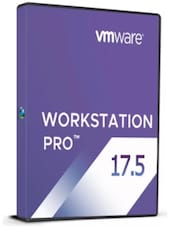
VMware Workstation 16 Player (PC) (1 Device, Lifetime) - Broadcom Key - GLOBAL
1/1
Platform:
Broadcom
Can activate in:
United States
Check country restrictions
Type:
Key
Region:
GLOBAL
VMware Workstation 16 Player is a lightweight and user-friendly virtualization software designed for personal and commercial use. It allows users to run multiple operating systems as virtual machines (VMs) on a single ph ...
Each offer comes from an independent seller who sets its price, terms and conditions, and authorizes delivery and payment.
G2A.COM is not endorsed by any developer, publisher, or trademark owner of the items available on this site.
Notice! This offer allows you to activate your license for Commercial Use.
How to activate?
Log in and download the software from Broadcom Website.
Go to Manage and License tab and Enter the key.
*In case of difficulties with activation, follow the instruction on the VMware support website.
Details
Number of Devices:
1 Device
Duration:
Lifetime
Legal information
VMware Workstation 16 Player is a lightweight and user-friendly virtualization software designed for personal and commercial use. It allows users to run multiple operating systems as virtual machines (VMs) on a single physical machine. The Player edition is ideal for individuals or small businesses that need a straightforward yet powerful virtualization solution.
Key Features
Multi-OS Support: Run a variety of operating systems, including the latest versions of Windows and Linux, as virtual machines on your desktop or laptop.
High-Performance VMs: Optimized for speed and resource efficiency, ensuring smooth operation of resource-intensive applications in VMs.
Support for Modern Hardware: Leverages multi-core processors, high memory configurations, and advanced graphics for optimal performance.
User-Friendly Interface: Simplified interface designed for ease of use, even for beginners in virtualization.
Enhanced Graphics: Supports DirectX 11 and OpenGL 4.1 for applications requiring advanced graphical capabilities.
USB Device Compatibility: Seamlessly connects USB devices such as printers, scanners, or external storage to virtual machines.
Restricted VMs: Allows businesses to create restricted VMs for controlled access and usage policies, enhancing security and compliance.
What’s New in VMware Workstation 16 Player
Support for the Latest Operating Systems: Compatibility with Windows 10, the latest Linux distributions, and updated kernel versions.
Improved Graphics Performance: Enhanced DirectX 11 and OpenGL 4.1 support for better rendering in 3D applications.
Dark Mode Interface: Modernized UI with a dark mode option for a better visual experience.
Container and Kubernetes Support: Run OCI containers alongside VMs to integrate modern development workflows.
Updated Hardware Compatibility: Enhanced support for high-resolution displays, USB 3.1, NVMe storage, and more.
Benefits
Simple and Reliable: Ideal for running virtual machines without the complexity of advanced configurations.
Cost-Effective: Offers a free version for personal use and an affordable paid license for commercial use.
Secure Virtualization: Safeguard environments with encrypted VMs and restricted VM options.
Compact yet Powerful: Lightweight software that provides powerful virtualization capabilities without unnecessary overhead.
VMware Workstation 16 Player is an excellent choice for users who require a reliable and straightforward virtualization platform for personal or professional use. Whether you’re exploring new operating systems, testing applications, or running isolated environments, it delivers performance and simplicity in a compact package.
Advertisement
SPONSORED
Reviews
Check what our customers think of this title
There are no reviews for this item yet
Add the first review and get a 5% discount for your next purchase
Signed-in customers with at least 1 purchase can review
Advertisement
SPONSORED
Get inspired by our articles!
Best Survival Horror Games of All Time
The survival horror genre is broad and popular, and not just because both survival games and horror...
Best G2A Gaming Deals This Month - Save Big Today!
Looking to score great games without overspending? Check out this month’s best G2A deals
15 Games to Push Your Gaming Skills to the Limit (And Maybe Beyond)
Are you ready for the ultimate gaming challenge? Explore our list of games that will push your skills to the...
Best PC Games of 2024: A Complete Yearly Recap
Explore the top PC games of 2024! From action-packed adventures to stunning RPGs, discover the year’s must-play titles.
Join Plus Free and get an 11% discount to use right away
Plus Free is a no-cost membership program where you earn points for items you buy on G2A.COM. Every 100 points = 1 EUR you can use to lower your next order total. Points are active for 365 days. Every new person subscribing to marketing emails gets an 11% discount code to use once on G2A.COM. You’ll get it to your email.
By selecting Sign in and join, you agree to receive marketing emails from G2A.COM Limited about deals, promotions, and discounts. You can unsubscribe anytime.