








































3DMark is benchmark software by UL Solutions for testing gaming performance on PCs, Macs, laptops, tablets, and smartphones with dedicated graphics, CPU, stress, and feature tests.
3DMark Key Features
- Benchmark gaming performance across Windows, macOS, Android, and iOS devices.
- Automatically recommends the most suitable benchmark for your system.
- Includes graphics, CPU, storage, stress, and feature tests depending on edition and platform.
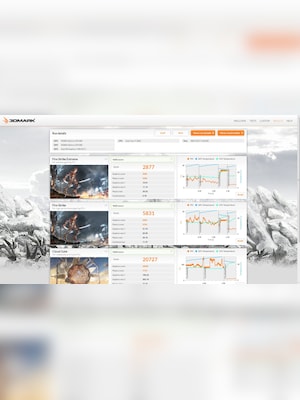
- Compare your results with other systems using similar CPU and GPU combinations.
- Estimate real-world game performance based on selected benchmark results.
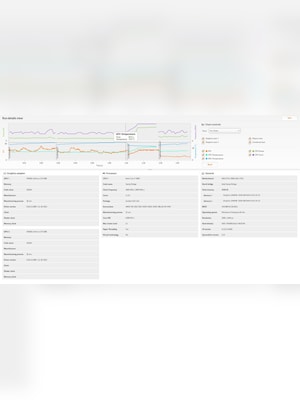
- Monitor CPU and GPU temperatures, clock speeds, and frame rate during benchmark runs.
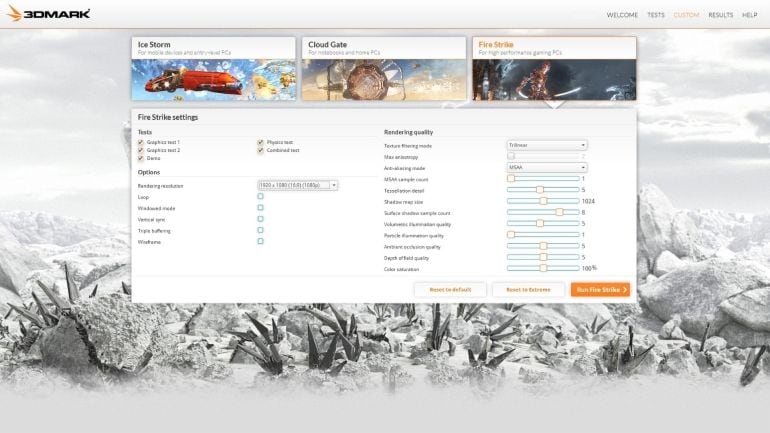
- Customize benchmark settings such as resolution and visual quality to test performance limits.
Reliable Gaming Performance Testing
3DMark helps users measure how well their hardware handles modern gaming workloads. With benchmark tests designed for different device types and performance levels, it makes it easier to check whether a system is ready for demanding games, high resolutions, ray tracing, or heavy graphics loads.
Easy Score Comparison
After running a benchmark, 3DMark lets users compare their score with results from other systems. This makes it useful for checking whether a PC, laptop, or mobile device performs as expected when matched against similar hardware configurations.
Hardware Monitoring and Stability Checks
3DMark provides detailed monitoring charts that show changes in CPU temperature, GPU temperature, clock speeds, and frame rate during a test. Stress tests can also help users evaluate cooling performance, stability, and possible thermal throttling.
Useful Tools for Upgrades and Optimization
3DMark is helpful when planning a hardware upgrade or fine-tuning a gaming setup. Users can test performance before and after changing components, drivers, or settings, then use the results to understand the real impact of those changes.
Who will like 3DMark
- PC gamers who want to test gaming performance before playing demanding titles.
- Overclockers who need benchmark scores and stability checks.
- System builders comparing different CPUs, GPUs, and complete PC setups.
- Laptop users checking performance, cooling, and throttling behavior.
- Hardware reviewers who need repeatable benchmark results.
- Users planning upgrades and wanting clear before-and-after performance data.