

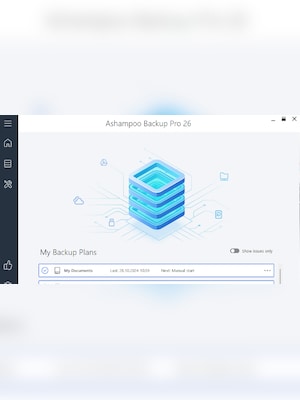
























Ashampoo Backup Pro 26 is a Windows backup and recovery solution for protecting individual files, drives, and entire operating systems. It supports automated backups, cloud storage, BitLocker drives, and emergency system restoration.
Ashampoo Backup Pro 26 Key Features
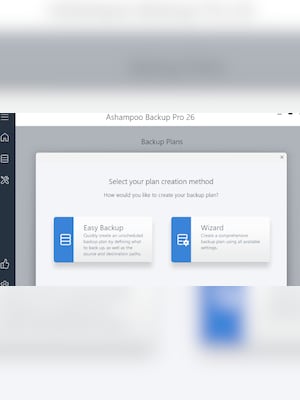
- Create quick backups in two steps with Easy Backup
- Back up individual files, folders, drives, or complete Windows systems
- Schedule automatic backups that run discreetly in the background
- Save backups to local drives, network storage, and supported cloud services
- Unlock BitLocker-encrypted drives directly within the software
- Restore files or complete systems with the integrated rescue environment
- View archived files securely without restoring the entire backup
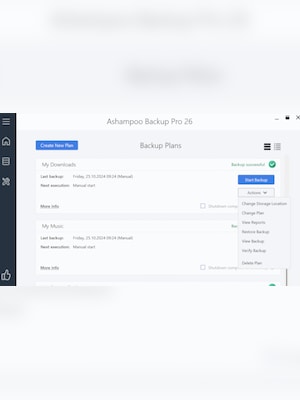
- Monitor backup plans and their current status from a redesigned dashboard
- Automatically shut down the computer after a backup is completed
- Customize notifications for errors, interruptions, and backup activity
Quick and Flexible Backup Creation
Easy Backup provides a straightforward way to protect important data without creating a complex plan. Users select the files or folders they want to secure, choose a destination, and start the backup. More advanced custom plans are also available for specific drives, applications, browser data, and complete operating systems.
Automated Protection Without Interruptions
Ashampoo Backup Pro 26 can perform scheduled backups automatically in the background. The software monitors system activity and uses available resources to reduce its impact on everyday work. Backup plans can be renamed, reviewed from the central dashboard, and configured to display only relevant status notifications.
Local, Network, and Cloud Storage Support
Backup archives can be stored on internal and external drives, network locations, and popular cloud platforms. Support for services such as Dropbox, Google Drive, OneDrive, OneDrive Business, Office 365, and ownCloud gives users multiple options for keeping copies of their data away from the original computer.
Complete Recovery After System Failure
The integrated rescue system can boot a computer from a prepared DVD or USB drive when Windows no longer starts. It allows users to restore files, applications, settings, or an entire operating system from a previous backup, reducing the need to reinstall and configure everything manually after malware infections, drive failures, or system crashes.
Who will like Ashampoo Backup Pro 26
- Home users who want automatic protection for personal files and photos
- Professionals who need reliable backups of work documents and applications
- Users who want to protect an entire Windows installation
- People who store backup copies on external drives, networks, or cloud services
- Users looking for a recovery option after ransomware, hardware failure, or Windows crashes
- Anyone who prefers both simple quick backups and configurable backup plans






