Movavi Video Suite 2026 is an all-in-one multimedia toolkit for editing videos, converting media files, and recording your screen. Its accessible interface and automated tools help users create polished content with less manual work.
Movavi Video Suite 2026 Key Features
- Video editing tools for cutting, cropping, joining, and enhancing footage
- Redesigned timeline for faster and clearer project editing
- Automatic subtitle generation in multiple languages
- AI-powered background and audio noise removal
- Automatic silence removal for cleaner, more concise videos
- Auto-tracked cropping that keeps the main subject centered
- Hundreds of filters, transitions, titles, overlays, and visual effects
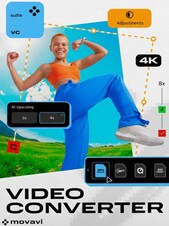
- Fast media conversion with support for more than 180 formats
- Full-screen and custom-area screen recording
- Webcam, system audio, microphone, mouse, and keyboard capture
Edit Videos with Less Manual Work
Movavi Video Suite 2026 combines essential editing functions with an improved timeline designed to simplify the production process. Users can trim clips, combine scenes, adjust colors and playback speed, add music, and arrange visual elements without navigating a complicated professional interface.
Speed Up Editing with Automated Tools
Automatic subtitles can convert spoken dialogue into captions, while silence removal detects and cuts unwanted pauses. AI noise removal helps reduce distracting sounds such as wind, traffic, or background hum, allowing creators to improve audio quality without extensive manual adjustments.
Create Content for Different Screens
Auto-tracked cropping follows the main person or object and adjusts the frame as the subject moves. This makes it easier to transform horizontal footage into vertical videos for social platforms while keeping the most important part of the scene visible.
Convert Media and Record Your Screen
The included converter changes video, audio, and image files between a wide selection of formats, helping users prepare media for different devices and platforms. The screen recorder can capture an entire display or a selected area together with webcam footage, microphone sound, system audio, mouse activity, and keystrokes.
Who Will Like Movavi Video Suite 2026
- Beginning and intermediate video editors
- Social media creators producing vertical videos, reels, and short clips
- Vloggers and YouTube content creators
- Teachers and trainers recording lessons or presentations
- Businesses creating tutorials, demonstrations, and marketing videos
- Users who regularly convert media between different formats
- Families editing recordings of holidays, celebrations, and special events





















 System
 Processor
 Memory
 Graphics
 Disk space