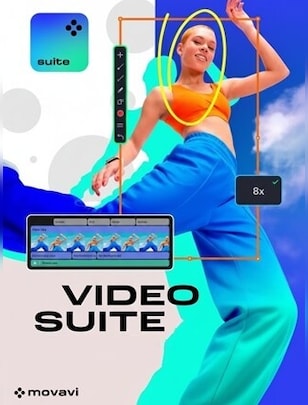
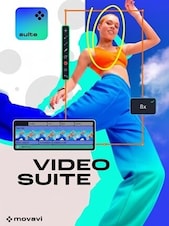
Movavi Video Suite 2027 is an all-in-one multimedia toolkit for editing videos, converting media files, and recording your screen. Its accessible interface, expanded AI features, and new ready-made templates help users create polished content faster and with less manual work.
Movavi Video Suite 2027 Key Features
- Video editing tools for cutting, cropping, joining, and enhancing footage
- Updated timeline for smoother, clearer project editing and better control over complex projects
- Automatic subtitle generation in multiple languages with improved accuracy
- Enhanced AI-powered background and audio noise removal for cleaner sound
- Automatic silence removal for more dynamic, concise videos
- Auto-tracked cropping that keeps the main subject centered and helps adapt footage to different aspect ratios
- New Movavi templates for lightning-fast editing of shorts, reels, tutorials, and social posts
- Hundreds of updated filters, transitions, titles, overlays, and visual effects tailored for modern platforms
- High-speed media conversion with support for more than 180 formats and improved performance on modern hardware
- Full-screen and custom-area screen recording
- Webcam, system audio, microphone, mouse, and keyboard capture
Edit Videos with Less Manual Work
Movavi Video Suite 2027 combines essential editing functions with an upgraded timeline and new templates that simplify the production process. Users can trim clips, combine scenes, adjust colors and playback speed, add music, and arrange visual elements without navigating a complicated professional interface, while templates and AI tools help reduce repetitive tasks.
Speed Up Editing with AI and Automated Tools
Automatic subtitles convert spoken dialogue into captions, now with improved recognition for different accents and languages. Silence removal detects and cuts unwanted pauses, while upgraded AI noise removal helps reduce distracting sounds such as wind, traffic, or background hum. These tools allow creators to improve audio and pacing without extensive manual adjustments.
Create Content for Different Screens
Auto-tracked cropping follows the main person or object and adjusts the frame as the subject moves, making it easier to transform horizontal footage into vertical videos for social platforms. New templates and effects optimized for mobile and vertical viewing help keep the most important part of the scene visible and engaging on different screens.
Convert Media and Record Your Screen
The included converter changes video, audio, and image files between a wide selection of formats and now takes advantage of performance improvements for faster conversion on modern devices. The screen recorder can capture an entire display or a selected area together with webcam footage, microphone sound, system audio, mouse activity, and keystrokes, making it suitable for tutorials, streams, and presentations.
Who Will Like Movavi Video Suite 2027
- Beginning and intermediate video editors looking for an easier way to use modern AI tools
- Social media creators producing vertical videos, reels, and short clips with templates and ready-made effects
- Vloggers and YouTube content creators seeking faster editing workflows
- Teachers and trainers recording lessons or presentations and adding clear subtitles
- Businesses creating tutorials, demonstrations, and marketing videos with consistent branding
- Users who regularly convert media between different formats and devices
- Families editing recordings of holidays, celebrations, and special events with minimal setup