
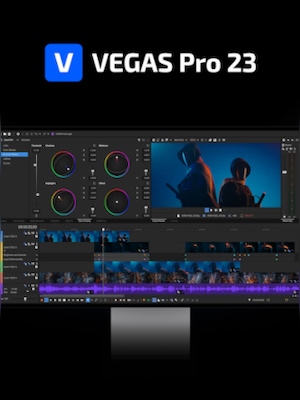




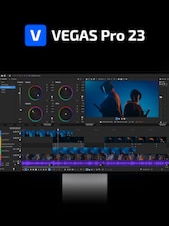

















VEGAS Pro Edit 23 is professional video editing software with a fast timeline, precise color processing, advanced effects, audio tools, multicamera support, and flexible export options for projects ranging from social videos to films.
VEGAS Pro Edit 23 Key Features
- VEGAS Core Engine for smooth playback and accurate color processing
- Fast, flexible timeline with drag-and-drop editing
- Integrated color correction and professional color grading
- Multicamera editing with support for up to 32 camera angles
- Video effects, transitions, compositing, masking, and motion tracking
- Customizable interface with dockable panels and saved layouts
- Advanced audio recording, editing, mixing, and synchronization
- Automatic music ducking, normalization, and beat detection
- Title creation, scrolling credits, subtitles, and text-based tools
- Hardware acceleration and support for third-party plugins
- VEGAS Capture 2.0 for recording screens, webcams, gameplay, and audio
- Flexible rendering options for online platforms and professional delivery
Fast Timeline-Based Video Editing
VEGAS Pro Edit 23 provides a responsive editing environment where clips can be trimmed, split, moved, copied, and arranged directly on the timeline. Editors can work without frequently switching between separate modes, helping them maintain a consistent and efficient workflow throughout the project.
VEGAS Core Engine Performance
The VEGAS Core Engine improves preview performance, color accuracy, and processing efficiency. It is designed to handle high-resolution footage and effect-heavy projects while maintaining smooth timeline playback, allowing editors to review changes and make creative decisions with greater confidence.
Integrated Color and Visual Effects
Color correction and grading tools are built directly into the editing workflow. Users can adjust exposure, contrast, color balance, and creative looks without leaving the timeline. Built-in effects, compositing controls, masking, motion tracking, and keyframe animation provide additional options for creating polished visual sequences.
Professional Audio and Multicamera Tools
VEGAS Pro Edit 23 combines video editing with detailed audio controls for recording, mixing, synchronization, volume adjustment, and effects processing. Multicamera tools can synchronize and display footage from several cameras, enabling editors to switch between angles and refine cuts for interviews, events, performances, and other multi-source productions.
Custom Workspaces and Flexible Delivery
The interface can be adapted to different editing styles by docking, resizing, grouping, and rearranging panels across one or more displays. Finished projects can be rendered using a streamlined export interface with options suitable for social media, online video, presentations, promotional materials, and professional productions.
Who Will Like VEGAS Pro Edit 23
- Video editors looking for a fast, timeline-focused workflow
- YouTube creators, streamers, and social media producers
- Filmmakers working on short films, documentaries, or independent productions
- Marketing teams producing advertisements and promotional videos
- Event videographers editing multicamera recordings
- Educators creating lessons, tutorials, and training materials
- Editors who need integrated video, color, and audio tools
- Experienced creators who want customizable workspaces and plugin support
