
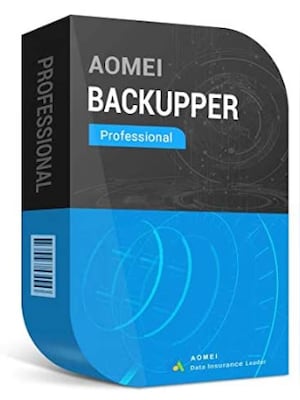



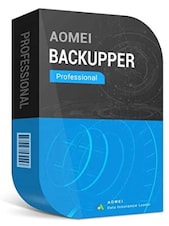

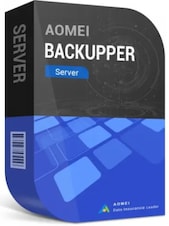
AOMEI Backupper is Windows backup and recovery software for protecting files, partitions, disks, applications, and operating systems. It also provides file synchronization, drive cloning, scheduled backups, and recovery tools.
AOMEI Backupper Key Features
- Back up individual files, folders, partitions, entire disks, and Windows systems.
- Restore complete systems, storage drives, partitions, or selected files from backup images.
- Clone disks, partitions, and supported Windows installations when replacing or upgrading a drive.
- Synchronize files between local drives, external storage, network locations, and supported destinations.
- Schedule automatic backups using daily, weekly, monthly, and other available triggers.
- Create full, incremental, and differential backups, depending on the selected edition.
- Save backups to hard drives, SSDs, USB devices, NAS storage, and network shares.
- Create bootable recovery media for restoring a computer that can no longer start Windows.
- Check backup-image integrity and explore images to retrieve selected content.
- Manage storage space with compression and automatic backup-cleanup options available in supported editions.
Flexible Backup for Important Data
AOMEI Backupper lets users protect anything from a few essential documents to an entire Windows computer. Separate backup modes for files, partitions, disks, and systems make it possible to create a recovery plan that matches the value and location of the data.

Automated Protection and File Synchronization
Scheduled tasks reduce the need to remember every backup manually. Users can configure recurring jobs and use incremental or differential methods to store changes efficiently. File-sync tools can also maintain updated copies of important folders in another location.

System Recovery and Bootable Rescue Tools
When files are deleted, a drive becomes damaged, or Windows fails to start, AOMEI Backupper can restore data from an available backup image. Bootable recovery media provides access to restoration tools even when the installed operating system is unavailable.
Drive Cloning and Storage Upgrades
Cloning tools simplify the process of transferring data to another HDD or SSD. Depending on the edition, users can copy a disk, partition, or Windows system and prepare the destination drive to replace older or damaged storage without rebuilding everything manually.
Who Will Like AOMEI Backupper
- Home users who want to protect personal documents, photos, videos, and other valuable files.
- Windows users who need automated backups and straightforward recovery options.
- People preparing to replace an HDD, install an SSD, or migrate data to another drive.
- Professionals who keep important projects and work files on a Windows computer.
- IT users who need system images, bootable recovery media, and flexible restoration tools.
- Small businesses looking for backup and disaster-recovery options for Windows devices.




