



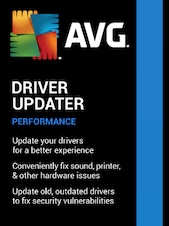

AVG Driver Updater is Windows driver update software that scans for outdated, missing, or faulty drivers and installs official updates to help improve PC performance, security, audio, video, and Wi-Fi stability.
AVG Driver Updater Key Features
- Automatically scans your PC for outdated, missing, or corrupt drivers.
- Helps install official driver updates without manual searching.
- Uses a database of 50 million+ drivers from trusted brands.
- Includes malware and vulnerable-driver scans for safer updates.
- Runs driver compatibility checks before installation.
- Can restore previous driver versions if a newer update causes issues.
- Helps reduce crashes, freezes, blue screens, and hardware conflicts.
- Supports better audio, graphics, Wi-Fi connectivity, gaming, and streaming performance.
- Designed for Windows 11, Windows 10, Windows 8.1, and Windows 7 PCs.
Automatic Driver Updates Without the Manual Work
AVG Driver Updater helps users avoid the time-consuming process of searching for drivers one by one. The software scans the computer for outdated or malfunctioning drivers and helps update them with suitable versions, making PC maintenance easier for everyday users.
Improved PC Stability and Hardware Performance
Outdated or faulty drivers can lead to system crashes, freezes, blue screens, printer problems, sound issues, weak graphics performance, or unstable Wi-Fi. AVG Driver Updater is designed to identify driver-related problems and help keep essential PC components working more smoothly.
Safer Updates from Trusted Driver Sources
AVG Driver Updater checks driver updates before installing them and helps users access official, malware-free drivers. This adds an extra layer of confidence compared with downloading drivers manually from unknown or unreliable sources.
Better Audio, Video, Gaming, Streaming, and Connectivity
Keeping graphics, audio, and network drivers up to date can improve the experience of gaming, streaming, downloading, browsing, video playback, and online communication. AVG Driver Updater focuses on drivers that affect common PC activities, including sound, visuals, and Wi-Fi connectivity.
Driver Rollback for Extra Control
Not every new driver works better on every device. AVG Driver Updater includes a restore option that lets users go back to a previous driver version if a newer update causes performance or compatibility issues.
Who will like AVG Driver Updater
- Windows users who want a simpler way to keep drivers updated.
- People who experience PC crashes, freezes, blue screens, or hardware conflicts.
- Gamers who want updated graphics, sound, and device drivers.
- Users who stream videos, download files, or rely on stable Wi-Fi connectivity.
- Home users who do not want to search for drivers manually.
- People who use printers, scanners, cameras, speakers, keyboards, mice, and external devices.
- Anyone who wants official driver updates with compatibility checks and rollback support.





