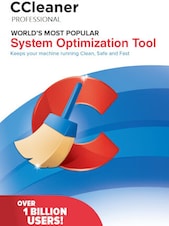
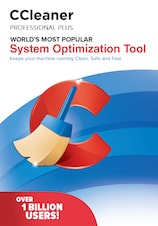
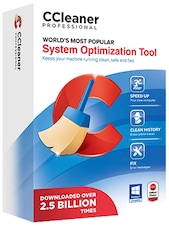
CCleaner is PC cleaning and optimization software for Windows that helps remove junk files, clean browser data, improve startup speed, update apps and drivers, and keep your computer running smoothly.
CCleaner Key Features
- Removes junk files, temporary data, browser leftovers, and other unnecessary files
- Helps free up hard drive space and improve everyday PC performance
- Cleans browser data and temporary internet files to support online privacy
- Includes Health Check to analyze, tune, and fix common PC issues
- Improves startup speed by helping disable hidden programs that slow down boot time
- Performance Optimizer can put selected apps into Sleep mode to reduce background activity
- Software Updater helps update apps to reduce security weaknesses and stability issues
- Driver Updater helps update drivers to improve reliability, visuals, sound, and connectivity
- Cloud Drive Cleaner can scan Google Drive, Microsoft OneDrive, and Dropbox for duplicated, large, or old files
- Automatic cleaning and cleaning reminders help maintain the PC with less manual work
Clean Your PC and Free Up Valuable Space
CCleaner helps remove unnecessary files from your operating system, apps, and web browsers. By clearing temporary files, browser junk, tracking cookies, and other leftover data, it can help recover storage space and keep your Windows PC easier to manage.
Improve Startup Speed and Everyday Performance
Slow startup and background activity can make a computer feel less responsive. CCleaner helps identify programs that affect startup and provides tools designed to improve speed. With Performance Optimizer, selected apps can be placed into Sleep mode, helping reduce unnecessary background processes and support better battery life on laptops.
Protect Privacy by Cleaning Browser Data
CCleaner supports privacy maintenance by helping remove browser history, temporary internet files, cookies, and other online activity records. This makes it useful for users who want more control over the data stored by their browsers and applications.
Keep Apps and Drivers Updated
CCleaner Professional includes Software Updater and Driver Updater tools. Software Updater helps close potential security gaps by updating supported apps, while Driver Updater helps reduce common hardware-related problems and can improve sound, visuals, and internet connectivity.
Manage Local and Cloud Storage More Easily
In addition to cleaning local files, CCleaner includes tools for finding duplicate files and scanning cloud storage. Cloud Drive Cleaner can help locate duplicated, large, or old files in Google Drive, Microsoft OneDrive, and Dropbox, making it easier to organize storage and remove files you no longer need.
Who will like CCleaner
- Windows users who want a cleaner and faster PC
- People who regularly run out of storage space
- Users who want to remove browser junk and online activity records
- Laptop owners looking to reduce unnecessary background activity
- Home users who want simple PC maintenance tools in one place
- Users who want help updating apps and drivers
- Anyone who wants automatic cleaning and reminders instead of manual maintenance