



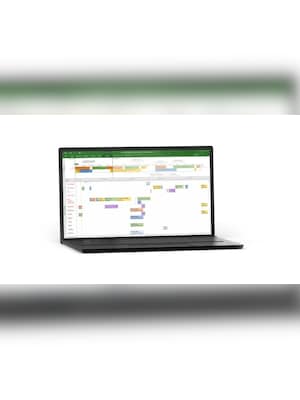












Microsoft Project 2016 Professional is project management software for Windows, designed for managers and planners coordinating schedules, resources, and costs. Build detailed plans, balance assignments with Team Planner, and communicate progress through visual reports.
Microsoft Project 2016 Professional Key Features
- Start project plans from templates.
- Mark important project stages and delivery dates with milestones.
- Set working calendars that account for holidays and staff availability.
- Identify critical tasks that determine the project's finish date.
- Save baselines to compare current performance with your original plan.
- Calculate project costs from resource rates and fixed task expenses.
- Present different phases of work on separate timeline bars.
- Create graphical reports that reflect changes to your project data.
- Save MPP project files, reuse MPT templates, and exchange project data through XML.
- Runs on Windows.
Build schedules with Gantt charts
Organize work into phases, summary tasks, and subtasks with estimated durations. Gantt charts show how activities fit together, making overlapping work and task sequences easier to review.
Link dependent tasks so automatic scheduling can adjust connected dates when plans change. Use manual scheduling to outline activities before every estimate is confirmed.
Balance assignments with Team Planner
See who is assigned to each activity and where workloads overlap. Team Planner helps you spot overallocated resources and tasks that still need an owner.
Drag tasks to another person or a different time to adjust the plan. Review assignments together so you can address scheduling conflicts before they disrupt delivery.
Explore changes with inactive tasks
Inactivate proposed tasks to see how removing them affects the schedule. Keep their details in the plan while excluding their impact on resource availability and other activities.
Reactivate tasks when priorities change or previously deferred work returns to scope. Their dependencies, constraints, and resource assignments remain available, reducing the need to rebuild the plan.
Import data and share schedules
Import task information from Excel and map spreadsheet columns to Project fields. Bring an existing planning sheet into your schedule without retyping each entry.
Export selected project data to Excel for further analysis. Save schedules and reports as PDFs so clients and colleagues can review them without opening an editable project file.
Who will like Microsoft Project 2016 Professional
- Project managers coordinating detailed delivery schedules.
- Team leaders balancing assignments across staff.
- Construction planners managing dependent activities.
- Operations managers organizing maintenance and improvement projects.
- Consultants preparing plans and progress reports for clients.
- Event managers coordinating preparation, staffing, and deadlines.
- Business owners assessing how scope changes affect planned work.




