
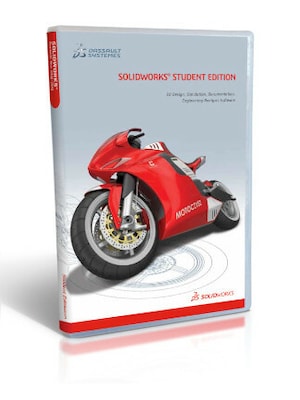





















SOLIDWORKS is professional 3D CAD software for designing parts, assemblies, and production-ready documentation. It supports product development from initial concept and modeling to validation, collaboration, and manufacturing.
SOLIDWORKS Key Features
- Parametric 3D modeling of individual parts and complex assemblies
- Production-ready 2D drawings linked to 3D models
- Specialized tools for sheet metal, weldments, molds, and surfaces
- Interference, clearance, and manufacturability checks
- Design reuse, configurations, libraries, and workflow automation
- Import and export support for numerous CAD file formats
- Cloud-based design sharing, markup, and revision management
- Integrated simulation, rendering, CAM, and routing capabilities in selected packages
Professional 3D Design and Modeling
SOLIDWORKS provides a comprehensive environment for creating accurate 3D models of mechanical parts and assemblies. Parametric modeling allows dimensions, features, and relationships to be adjusted without rebuilding the entire design, making it easier to develop and refine products throughout the engineering process.
Accurate Drawings and Manufacturing Documentation
Create detailed 2D drawings directly from 3D models, including dimensions, annotations, section views, bills of materials, and assembly instructions. Because drawings remain associated with their source models, design changes can be reflected in the documentation and communicated clearly to manufacturing teams.
Design Validation Before Production
SOLIDWORKS includes tools for checking interference, clearances, alignment, wall thickness, draft angles, and other manufacturing requirements. Depending on the selected package and available modules, users can also perform structural, motion, thermal, fluid-flow, and other simulations to evaluate performance before creating physical prototypes.
Connected Collaboration and File Management
Cloud Services available with SOLIDWORKS Design help teams securely store, share, review, and revise CAD data. Colleagues and external stakeholders can view models, add comments, create markups, and provide feedback through a browser without installing a dedicated CAD viewer.
From Design to Manufacturing
SOLIDWORKS supports workflows that connect engineering with production. Specialized capabilities can assist with sheet metal, welded structures, piping, electrical routing, machining preparation, rendering, and technical communication. Support for numerous native and neutral file formats also helps teams exchange data with suppliers and other CAD systems.
Who will like SOLIDWORKS
- Mechanical engineers designing parts, machines, and assemblies
- Product designers developing physical products and prototypes
- Industrial designers working with complex shapes and surfaces
- Manufacturing teams preparing designs for production
- Engineering companies that require accurate technical documentation
- Teams that need cloud-based CAD collaboration and revision control
- Students and educators learning professional 3D design workflows




