

























Affinity Photo 1.10 is a professional photo editor for RAW development, detailed retouching, image compositing, digital painting, and multilayer design work, supported by accelerated performance and a broad collection of precision editing tools.
Affinity Photo 1.10 Key Features
- Professional RAW image development with exposure, color, detail, and lens correction controls
- Non-destructive adjustment layers, masks, live filters, and blend modes
- Advanced retouching tools for removing unwanted objects, correcting imperfections, and refining portraits
- Support for complex, heavily layered documents and embedded files
- Panorama stitching, focus merging, HDR merging, and image stacking
- Frequency separation for precise texture and tonal retouching
- Astrophotography stacking with direct FITS file support and FUJIFILM X-Trans sensor compatibility
- Improved GPU rendering and accelerated processing for selected adjustments and blending operations
- PSD, PDF, and numerous professional image format import and export options
- Color management with support for different ICC profiles and pixel formats
Develop and Refine RAW Photography
Affinity Photo 1.10 provides a dedicated environment for processing RAW camera files before continuing with detailed editing. Users can adjust exposure, white balance, contrast, shadows, highlights, noise, sharpness, and lens characteristics while retaining extensive control over the original image data. Version 1.10 also introduced improvements to the Serif Labs RAW engine and expanded camera and lens support.
Retouch Photos with Precision
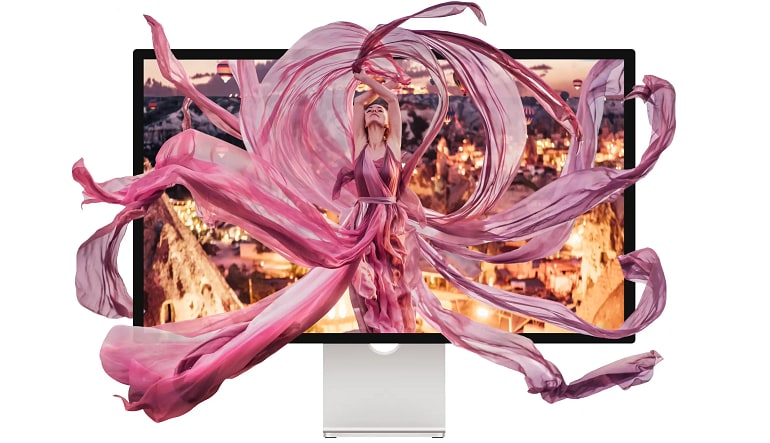
A comprehensive collection of healing, cloning, inpainting, selection, and masking tools helps users correct imperfections or rebuild specific areas of an image. Frequency separation makes it possible to edit texture and color independently, while adjustment layers and live filters allow corrections to remain editable throughout the project.
Create Detailed Compositions
Layer-based editing makes Affinity Photo 1.10 suitable for combining photographs, graphics, text, effects, and embedded documents in a single composition. Masks, blend ranges, layer effects, and multiple blending modes provide detailed control over how individual elements interact without permanently changing the source layers.
Process Complex and Specialized Images
The software includes dedicated workflows for panoramas, HDR images, focus merges, image stacks, and astrophotography. Version 1.10 improved panorama stitching and astrophotography processing, added direct FITS file opening in Photo Persona, and enabled simultaneous stacking of files captured with different filters.
Work Efficiently on Demanding Projects
Affinity Photo 1.10 delivers improved rendering and editing performance across heavily layered documents, placed images, embedded documents, adjustment layers, profile conversions, and low-memory situations. GPU acceleration supports smoother interaction with selected adjustments and advanced blending features.
Who will like Affinity Photo 1.10
- Photographers developing and refining RAW images
- Portrait retouchers working with skin texture, tone, and detailed corrections
- Graphic designers creating multilayer promotional and digital artwork
- Digital artists combining painting tools with photographic elements
- Astrophotographers processing stacked exposures and FITS files
- Content creators preparing polished images for websites and social media
- Users who prefer precise, non-destructive desktop photo editing





