

































Movavi Video Editor 2026 is an intuitive video editing software for Windows and Mac, made for fast cutting, 4K export, AI tools, subtitles, effects, transitions, and polished video creation.
Movavi Video Editor 2026 Key Features
- Fast editing tools for cutting, trimming, splitting, merging, flipping, rotating, and cropping video clips.
- AI-powered tools for motion tracking, background removal, noise reduction, and footage upscaling.
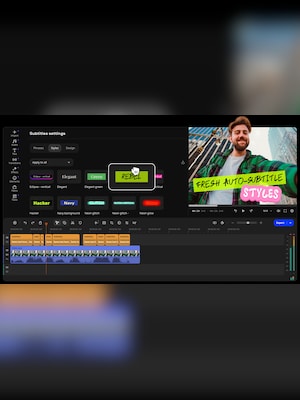
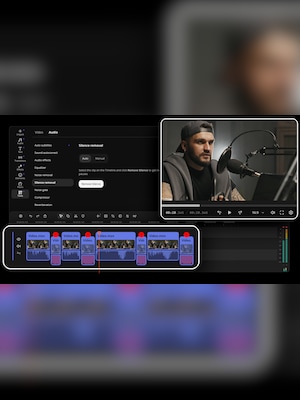
- Automatic subtitles and silence removal to speed up editing and make videos easier to watch.
- 4K video export for creating high-quality videos without a watermark.
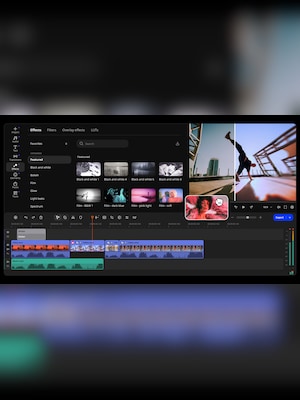
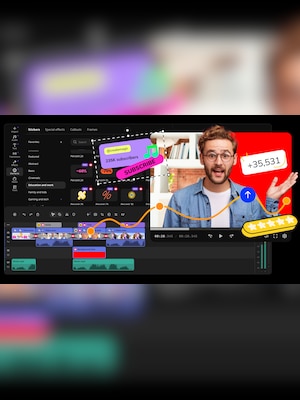
- Built-in titles, transitions, filters, overlays, and other effects for enhancing video projects.
- Precision frame cutting for more accurate edits.
- Pro-quality color correction and one-click video improvement tools.
- Overlay blending modes for more creative visual compositions.
Create Videos Faster with Smart Editing Tools
Movavi Video Editor 2026 is designed to make the editing process simple and efficient. Users can quickly cut footage into segments, trim unwanted parts, merge clips, rotate scenes, adjust speed, and improve video quality without dealing with a complicated professional workflow.
AI Features That Save Time
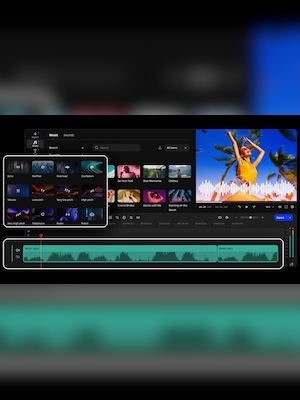
The software includes AI tools that help reduce repetitive editing work. Background removal, noise reduction, motion tracking, silence removal, and automatic subtitles make it easier to prepare videos for social media, YouTube, presentations, tutorials, or personal projects.
Effects, Titles, and Transitions for Better-Looking Videos
Movavi Video Editor 2026 gives users access to creative tools such as filters, transitions, titles, overlays, and visual effects. These features help transform simple footage into more engaging videos, whether the project is a short clip, gameplay edit, vlog, promo video, or longer presentation.
High-Quality Export and Creative Control
With 4K video export, color correction, frame-precise cutting, and overlay blending modes, Movavi Video Editor 2026 gives users more control over the final result. It is suitable for people who want polished videos without learning complex editing software.
Who will like Movavi Video Editor 2026
- Beginner video creators who want an easy-to-use editor.
- YouTubers and vloggers who need quick editing, subtitles, effects, and 4K export.
- Social media creators making short clips, reels, ads, or promo videos.
- Gamers who want to edit gameplay footage with titles, transitions, and overlays.
- Small business owners creating product videos, tutorials, or marketing content.
- Students and teachers preparing video presentations or educational materials.
- Home users editing family videos, travel clips, or personal projects.