
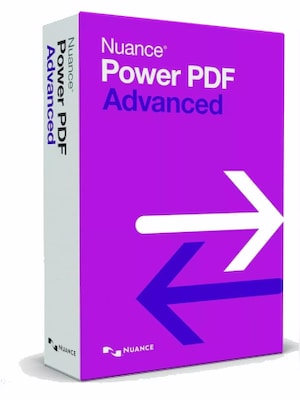












Nuance Power PDF Advanced 2.1 Multilanguage is business PDF software for creating, converting, editing, searching, securing, and sharing professional PDF documents on Windows.
Nuance Power PDF Advanced 2.1 Multilanguage Key Features
- Create, convert, and assemble industry-standard PDF files.
- Edit PDF content and work with annotations, callouts, text boxes, comments, and markup tools.
- Convert Office files, web pages, email content, and image-based documents into usable PDF formats.
- Use OCR and proofing tools to improve searchable PDF documents.
- Secure PDF files with protection features, document cleaning, and support for advanced PDF standards.
- Work with digital signatures, including long-term validation support.
- Use Office add-ins and document-management integrations for smoother business workflows.
- Access improved compatibility with PDF/A, PDF/X, PDF/E, and PDF/UA formats in the Advanced edition.
- Manage PDF comments, forms, watermarks, print settings, and batch conversion tasks.
- Benefit from multilingual support designed for international users and teams.
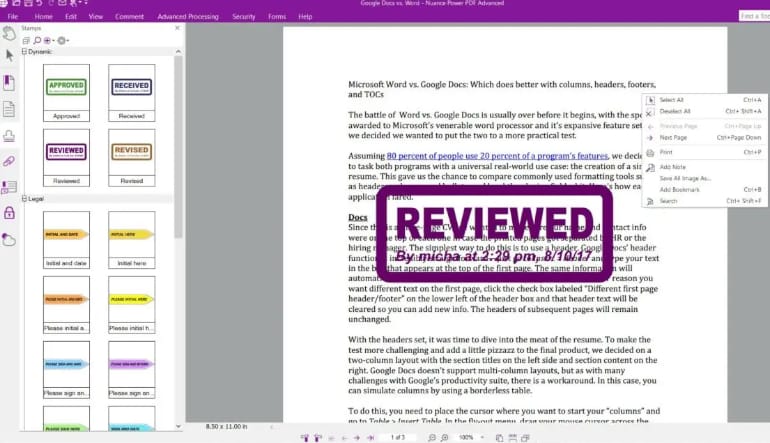
Create and Convert Business PDFs
Nuance Power PDF Advanced 2.1 Multilanguage helps users turn everyday files into professional PDF documents. It is suitable for creating PDFs from Office documents, web pages, email archives, scanned files, and other business materials. The software also supports PDF creation profiles, batch conversion, and tools for producing searchable documents from image-based PDFs.
Edit, Review, and Organize PDF Documents
The software gives users practical tools for editing and reviewing PDF files without rebuilding documents from scratch. Users can add comments, adjust annotations, use callouts, manage text boxes, work with links, organize pages, and prepare files for sharing. Improved comment handling and search features make it easier to review long or complex documents.
Secure PDF Workflows for Professional Use
Nuance Power PDF Advanced 2.1 Multilanguage includes features made for business environments where document control matters. Users can protect PDFs, clean documents to remove potentially sensitive hidden data, work with digital signatures, and use advanced compatibility options such as PDF/A, PDF/X, PDF/E, and PDF/UA support. These tools help keep files reliable, compliant, and easier to archive.
Integrations for Office and Document Management
The Advanced edition is designed for users who work with PDFs across office systems and document repositories. It supports Microsoft Office add-ins, document-management connectivity, SharePoint-related workflows, mail archiving improvements, and advanced batch or watched-folder processes. This makes it useful for teams that handle a large number of business documents every day.
Who will like Nuance Power PDF Advanced 2.1 Multilanguage
- Office workers who regularly create, edit, and share PDF documents.
- Small businesses looking for a practical PDF editor and converter.
- Administrative teams managing forms, reports, contracts, and scanned documents.
- Legal, finance, and compliance users who need secure PDF handling and archiving options.
- Professionals who want PDF conversion, OCR, comments, and security tools in one application.
- International users who need a multilingual PDF software solution.
- Teams using Microsoft Office, SharePoint, or document-management workflows.



