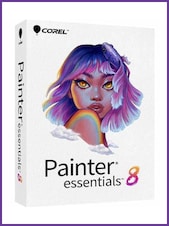
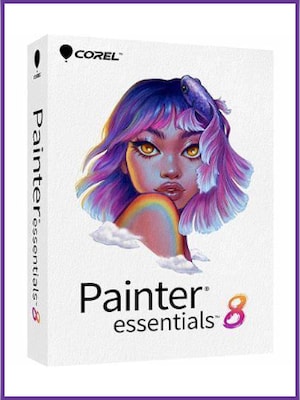
Corel Painter Essentials 8 is beginner-friendly digital art software for drawing, painting, and transforming photos into artwork. It combines realistic brushes, AI-assisted photo painting, intuitive tools, and built-in learning resources.
Corel Painter Essentials 8 Key Features
- Create original drawings, paintings, and illustrations on a blank digital canvas.
- Experiment with realistic Natural-Media brushes, including oils, acrylics, pencils, pastels, markers, and digital watercolors.
- Transform photographs into paintings with AI-based presets and automatic painting tools.
- Use cloning and Tracing Paper tools to recreate images manually.
- Explore creative brush technologies such as Particles, Dynamic Speckles, Pattern Pens, and Image Hoses.
- Organize artwork with unlimited layers and improved layer controls.
- Choose balanced colors with the Color Wheel, Mixer, Color Sets, and Color Harmonies.
- Create symmetrical artwork and mandalas with Mirror Painting and Kaleidoscope tools.
- Work naturally with compatible pressure-sensitive drawing tablets.
- Access tutorials, workflow guidance, and other learning materials directly from the application.
- Transfer supported files between Painter Essentials and Adobe Photoshop while preserving colors and layers.
- Use the software on compatible Windows and macOS computers.
Realistic Digital Brushes and Traditional Media
Corel Painter Essentials 8 recreates the appearance and behavior of traditional art materials in a digital workspace. Its brush library includes dry, wet, and blending media designed to interact naturally with colors and canvas textures. Users can sketch with pencils, blend oils, apply delicate watercolors, or create expressive marks with pastels and markers.
Turn Photos into Digital Paintings
The photo-painting tools make it possible to transform an existing image into artwork without painting every stroke manually. Users can select an AI-based or SmartStroke painting style and allow the software to build the effect automatically. Cloning, touch-up brushes, and Tracing Paper provide additional control when refining the result or recreating selected details.
An Accessible Workspace for New Artists
The streamlined interface places commonly used brushes, colors, layers, adjustments, and photo-painting controls within easy reach. Dedicated Drawing and Painting and Photo-Painting layouts help users focus on the current task, while built-in tutorials explain essential tools and workflows. Compatible 2-in-1 Windows devices can also switch between layouts optimized for laptop and tablet use.
Creative Color and Symmetry Tools
The Color Wheel and Mixer provide familiar ways to select and blend colors, while Color Sets offer ready-made palettes. Color Harmonies can generate coordinated swatches according to established harmony rules. Mirror Painting supports perfectly reflected brushstrokes, and the Kaleidoscope tool helps produce detailed radial patterns and mandala-style artwork.
Drawing Tablet Support and Responsive Performance
When used with a compatible graphics tablet, Corel Painter Essentials 8 can respond to stylus pressure and other supported pen controls for more natural brushstrokes. The software is optimized for responsive zooming, canvas rotation, layer operations, large brushes, and work on larger canvases, allowing artists to concentrate on painting rather than navigating complex controls.
Who will like Corel Painter Essentials 8
- Beginners learning digital drawing and painting.
- Traditional artists moving to a digital workflow.
- Hobbyists creating illustrations, portraits, landscapes, or concept art.
- Photographers who want to convert photos into painted artwork.
- Drawing tablet users looking for pressure-sensitive creative tools.
- Students exploring different artistic media and techniques.
- Users who want an accessible alternative to professional digital painting software.