








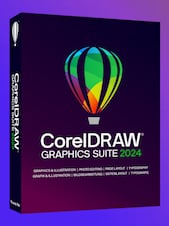











CorelDRAW Graphics Suite 2025 is a professional graphic design package for vector illustration, page layout, photo editing, typography, and print production, with enhanced creative tools and streamlined PDF workflows.
CorelDRAW Graphics Suite 2025 Key Features
- Professional vector illustration and page layout tools
- Bitmap and photo editing with Corel PHOTO-PAINT
- Advanced Print to PDF with imposition, separations, halftones, and registration marks
- More than 100 Painterly Brushes with customizable stroke controls
- Typography tools with direct access to additional Google Fonts families
- Extensive file compatibility, including CDR, PDF, AI, SVG, and other popular formats
- Updated Pantone palettes with 175 additional colors
- Templates, clipart, fonts, photos, and learning resources
- Performance, stability, security, and workflow improvements
- CorelDRAW Web access for eligible subscribers and maintenance customers
Complete Tools for Graphic Design
CorelDRAW Graphics Suite 2025 provides an integrated environment for creating logos, illustrations, advertisements, signage, packaging, technical graphics, and multi-page layouts. Precise drawing, shaping, alignment, color, and object-management tools help users develop detailed designs while maintaining control over every visual element.
Expressive Vector Illustration
The enhanced Painterly Brush tool combines the appearance of traditional media with the flexibility of vector graphics. Users can create watercolor, oil, pastel, textured, and decorative strokes while adjusting properties such as size, transparency, tapering, texture, and particle density. Frequently used brushes can also be accessed more efficiently during creative work.
Professional Printing and PDF Production
Advanced Print to PDF capabilities make it easier to prepare designs for professional output without relying on separate PDF printing software. The suite supports page imposition, custom print profiles, color separations, halftones, registration marks, and other controls required for commercial print workflows.
Typography and Reliable Color Management
Comprehensive font handling tools support the creation of polished layouts, branding materials, and publications. Direct access to additional Google Fonts families expands typography options, while extensive Pantone color libraries help designers maintain accurate and consistent color communication with clients, printers, and manufacturers.
Flexible Desktop and Online Workflows
Projects can be created and refined in the desktop applications, while eligible subscribers and maintenance customers can use CorelDRAW Web to edit designs through a browser. Cloud-based workflows make it possible to access files on different devices, apply non-destructive adjustments, work with templates, and export designs in formats such as CDR, PDF, and SVG.
Who will like CorelDRAW Graphics Suite 2025
- Graphic designers creating branding, advertising, and marketing materials
- Illustrators who need precise vector tools and expressive digital brushes
- Print professionals preparing artwork for commercial production
- Sign makers and apparel decorators working with scalable graphics
- Businesses producing brochures, posters, packaging, and promotional assets
- Photographers and content creators who need integrated image-editing tools
- Students and aspiring designers learning professional creative workflows




