











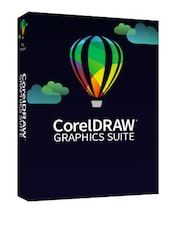
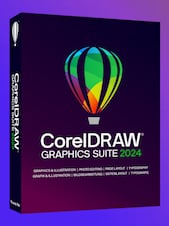








CorelDRAW Graphics Suite is your fully-loaded, professional design toolkit for delivering breathtaking vector illustration, layout, photo editing, and typography projects with total efficiency. A budget-friendly subscription provides ongoing value with instant access to exclusive new features and content, and support for the latest technologies.
CorelDRAW Graphics Suite 2025 Key Features
- Vector illustration and page layout tools for logos, artwork, documents, marketing materials, and technical visuals.
- Corel PHOTO-PAINT for image editing and pixel-based design with an integrated CorelDRAW workflow.
- CorelDRAW Web for creating, editing, saving, and accessing designs through a compatible browser.
- Advanced Print to PDF tools with layout control, separations, registration marks, printer marks, and professional print preview options.
- Enhanced Painterly Brush controls for more expressive digital artwork, textures, transparency, tapering, smoothing, and brush customization.
- Corel Font Manager for organizing fonts and using preferred typefaces without installing every font on the system.
- Support for popular design formats, including CDR, PDF, AI, SVG, and more.
- Access to templates, fonts, clipart, stock photos, fills, Pantone color libraries, and creative content for faster project creation.
Professional Design Tools for Creative Projects
CorelDRAW Graphics Suite 2025 gives designers a complete workspace for creating graphics from the first sketch to the final output. Its vector illustration tools help build scalable artwork, icons, logos, signage, labels, packaging, and marketing assets with clean lines and precise shapes.
The suite also supports page layout work, making it useful for brochures, flyers, menus, multi-page documents, and promotional materials. With typography tools, font management, and layout controls, users can create polished designs for both digital and printed use.
Image Editing and Integrated Creative Workflow
Corel PHOTO-PAINT works alongside CorelDRAW, allowing users to edit photos, adjust colors, correct images, and prepare pixel-based graphics without leaving the suite’s creative environment. This makes it easier to combine vector graphics, photos, text, and effects in one production workflow.
The integrated approach is especially useful for ecommerce visuals, advertising banners, product mockups, branded content, and social media graphics where both clean vector artwork and edited images are needed.
Flexible Design with CorelDRAW Web
CorelDRAW Web allows subscribers and maintenance customers to work in a browser without installing the full desktop application. Users can open cloud files, make quick edits, review designs with clients, and continue projects between the web and desktop versions.
This flexibility helps designers stay productive when working remotely, presenting concepts, or making last-minute changes outside the main workstation.
Print-Ready Output and PDF Control
CorelDRAW Graphics Suite 2025 includes advanced Print to PDF capabilities designed for professional production. Users can manage imposition layouts, separations, halftones, registration marks, printer marks, margins, gutters, and preview settings before sending work to print.
These tools are valuable for print shops, sign makers, apparel producers, marketers, and businesses that need accurate files for commercial printing, packaging, signage, and promotional materials.
Who will like CorelDRAW Graphics Suite 2025
- Graphic designers creating logos, branding, posters, flyers, banners, and marketing assets.
- Print professionals preparing production-ready artwork and PDF files.
- Sign makers working on signage, vinyl graphics, vehicle wraps, and large-format print designs.
- Small businesses creating in-house promotional materials and ecommerce graphics.
- Illustrators and digital artists who want vector tools and expressive brush effects.
- Apparel and textile designers preparing artwork for screen printing, embroidery, and direct-to-garment production.
- Retail and ecommerce teams designing online store visuals, point-of-sale graphics, and sales materials.
- Technical users creating diagrams, schematics, maps, product illustrations, and precise visual documentation.



